
 Fast Quote
Log in
Sign Up
Don't have an account? Sign Up
Already have an account? Log in




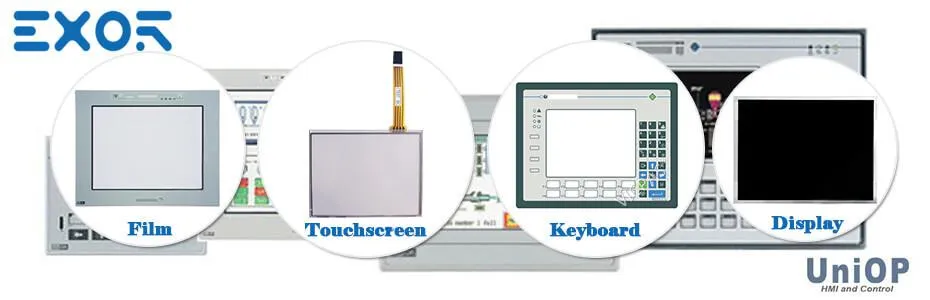

EXOR UniOP HMI has developed a range of HMI products for different working environments. Include ePALM10eSMART Series, eTOP Series 500 eTOP500, etop400 series, eTOP Series 300 Etop300, eTOP, Series 600 Etop600, JSmart Series, eX700 Series, IPC - High-end Panel PC, eBIS500_(Series), EPC - Entry-level Panel PC, eTOP-MON, Uniop etop series, Uniop ePAD series and etc.
Kernfix has been engaged in HMI accessories industry for 15 years since 2004, serving more than 5000 industry customers from 110 countries. Kernfix HMI Parts Center supply all DMC Touchscreen Glass Part No. All of them are brand new and support 365 days Kernfix Warranty. Contact Best Price
In this table, list all the Part No. of Exor UniOP HMI. You can call up the search box by holding down the keyboard Ctrl+F and enter the model you want to find. Then send inquiries to Kernfix for more product details and price.
| Series | Part No. | Part No. | Part No. | Part No. |
|---|
| eTOP506 | ETOP506U1P1 | ETOP506U2P1 | ETOP506U3P1 | |
| eTOP507 | +ETOP507U1P3 | +ETOP507U2P3 | +ETOP507U3P3 | |
| eTOP507M | +ETOP507MU1P1 | +ETOP507MU2P1 | +ETOP507MU3P1 | |
| eTOP510 | +ETOP510U1P1 | +ETOP510U2P1 | +ETOP510U3P1 | |
| eTOP512 | +ETOP512U1P1 | +ETOP512U2P1 | +ETOP512U3P1 | |
| eTOP513 | +ETOP513U1P1 | +ETOP513U2P1 | +ETOP513U3P1 | |
| eTOP515 | +ETOP515U1P1 | +ETOP515U2P1 | +ETOP515U3P1 | |
| eTOP507G | +ETOP507U5P1 | eTOP507MG | +ETOP507MU5P1 | |
| eTOP510G | +ETOP510U5P1 | eTOP515G | +ETOP515U5P1 | |
| UniOP eTOP400 | eTOP415 | ETOP415U101 | ETOP415U201 | ETOP415U301 |
| eTOP413 | ETOP413U101 | ETOP413U201 | ETOP413U301 | |
| eTOP412 | ETOP412U101 | ETOP412U201 | ETOP412U301 | |
| eTOP410 | ETOP410U101 | ETOP410U201 | ETOP410U301 | |
| eTOP408 | ETOP408U101 | ETOP408U201 | ETOP408U301 | |
| eTOP407 | ETOP407U101 | ETOP407U201 | ETOP407U301 | |
| eTOP406 | ETOP406U101 | ETOP406U201 | ETOP406U301 | |
| UniOP eTOP300 | eTOP306 | ETOP306U101 | ETOP306U201 | ETOP306U301 |
| eTOP307 | ETOP307U101 | ETOP307U201 | ETOP307U301 | |
| eTOP308 | ETOP308U101 | ETOP308U201 | ETOP308U301 | |
| eTOP310 | ETOP310U101 | ETOP310U201 | ETOP310U301 | |
| eTOP312 | ETOP312U101 | ETOP312U201 | ETOP312U301 | |
| eTOP313 | ETOP313U101 | ETOP313U201 | ETOP313U301 | |
| eTOP315 | ETOP315U101 | ETOP315U201 | ETOP315U301 | |
| UniOP etop600 | eTOP605 | +ETOP605U5P1 | eTOP607M | +ETOP607MU5P1 |
| eTOP610 | +ETOP610U5P1 | |||
| ePALM10 series | ePALM10-0061 | ePALM10-0062 | ePALM10-0066 | ePALM10-0067 |
| ePALM10-0069 | ePALM10-3P61 | ePALM10-3P62 | ePALM10-0068 | |
| eSMART Series | eSmart04 | +ESMA04U301 | eSMART04M | +ESMA04MU301 |
| eSMART07M | +ESMA07MU301 | eSmart10 | +ESMA10U301 | |
| eSMART107 | +ESMA107U301 | |||
| R8249-01 R8249-01A | R8216-01 R8216-01A | R8217-01 R8217-01A | E199715 | I020381 0239 |
| R8218-01 R8218-01A | E199715 | 91-10720-000 | E301650 FS-011 | 000383A153700038 |
| JSmart Series | JSmart705 | JSmart707 | JSmart710 | |
| JSmart715 | JSmart721 | eX710 | eX721 | |
| eX700 Series | eX705 | eX707 | eX715 | |
| IPC - High-end Panel PC | eTOP-IPC1040P | eTOP-IPC1640P | eTOP-IPC1840P | eTOP-IPC2140P |
| eTOP-IPC1670P | eTOP-IPC2170P | eTOP-IPC1570T | eTOP-IPC1770T | eTOP-IPC1970T |
| eBIS500_(Series) | eBIS504 | EBIS504U101 | EBIS504U201 | EBIS504U301 |
| EBIS504U302 | eBIS507 | +EBIS507U101 | +EBIS507U201 | +EBIS507U301 |
| +EBIS507U303 | +EBIS507U103 | +EBIS507U203 | +EBIS507U302 | +EBIS507U304 |
| eBIS510 | +EBIS510U101 | +EBIS510U201 | +EBIS510U301 | |
| eBIS513 | +EBIS513U101 | +EBIS513U201 | +EBIS513U301 | |
| EPC - Entry-level Panel PC | eTOP-EPC0840T | eTOP-EPC1230T | eTOP-EPC1235T | eTOP-EPC1530T |
| eTOP-EPC1540T | eTOP-EPC1245T | eTOP-EPC1231T | eTOP-EPC1240T | eTOP-EPC1531T |
| eTOP-EPC1730T | eTOP-EPC1740T | eTOP-EPC1931T | eTOP-EPC1930T | eTOP-EPC1940T |
| eTOP-EPC1731T | eTOP-MON1200T | +73MON1200T | eTOP-MON1500T | +73MON1500T |
| eTOP-MON | eTOP-MON1250T | +73MON1250T | eTOP-MON1700T | +73MON1700T |
| eTOP-MON1900T | +73MON1900T | eTOP59C | eTOP59C-0050 | eTOP49 |
| eTOP59CP | ETOP59CP-0052 | eTOP50 | eTOP50-0045 | eTOP40B-0050 |
| eTOP50C | eTOP50C-0050 | eTOP50CP | ETOP50CP-0052 | ETOP38CP-0052 |
| eTOP49CP | ETOP49CP-0052 | eTOP40CP | ETOP40CP-0052 | eTOP33C-E650 |
| eTOP40C | eTOP40C-0050 | eTOP40b | eTOP40B-DC50 | eTOP33C-E550 |
| eTOP40 | eTOP40-0050 | eTOP33C | eTOP33c-0050 | eTOP33C-E450 |
| eTOP39B | eTOP39B-0050 | eTOP33B | eTOP33B-0050 | eTOP33C-0350 |
| E159715 I014762 0074 | eTOP33C-E150 | eTOP33 | eTOP33-0050 | eTOP33C-E250 |
| eTOP32R | eTOP12-0045 | eTOP30 | eTOP30-0050 | eTOP03-0050 |
| eTOP32B | eTOP32B-0050 | eTOP21B | eTOP21B-0045 | eTOP03-0045 |
| eTOP32 | eTOP32-0050 | eTOP20B | eTOP20B-0045 | eTOP05P-0050 |
| eTOP31 | eTOP11-0045 | eTOP20C | ETOP20C-0050 | eTOP05EB-0050 |
| eTOP12 | eTOP12-0050 | eTOP19C | eTOP19C-0050 | eTOP05E-0050 |
| eTOP11 | eTOP11-0050 | eTOP19CP | ETOP19CP-0052 | eTOP05C-0050 |
| eTOP05 | eTOP05-0045 | eTOP11E | eTOP11E-0050 | eTOP11E-0045 |
| eTOP05P | eTOP05P-0045 | eTOP11EB | eTOP11EB-0050 | eTOP11EB-0045 |
| eTOP05EB | eTOP05EB-0045 | eTOP10C | eTOP10C-0050 | eTOP10C-0045 |
| eTOP05E | eTOP05E-0045 | eTOP10B | eTOP10B-0050 | eTOP10B-0045 |
| eTOP05C | eTOP05C-0045 | eTOP10 | eTOP10-0050 | eTOP10-0045 |
| eTOP03 | eTOP03-0046 | eTOP06 | eTOP06-0045 | eTOP06-0050 |
| eTOP02C | eTOP02C-0045 | eTOP06C | eTOP06C-0045 | eTOP06C-0050 |
| ETOP02-0046 | eTOP02C-0050 | eTOP04C | eTOP04C-0045 | eTOP04C-0050 |
| ePAD06 | ePAD06-0046 | eTOP02 | eTOP02-0045 | eTOP02-0050 |
| ePAD30 | ePAD30-0050 | ePAD05 | ePAD05-0046 | ePAD05-00B7 |
| ePAD30T | ePAD30T-0050 | ePAD03 | ePAD03-0046 | ePAD03-00B6 |
| ePAD32 | ePAD32-0050 | ePAD31 | ePAD31T | ePAD03-00B7 |
| ePAD32B | ePAD32B-0050 | ePAD04 | ePAD04-0046 | ePAD04-00B6 |
| ePAD33B | ePAD33B-0050 | eMAC305 | ePAD32T | ePAD04-00B7 |
| ePAD33BT | ePAD33BT-0050 | ePAD33C | ePAD33C-0050 | eMAC303 |
| ePAD33 | ePAD33-0050 | ePAD33T | ePAD33T-0050 | CP01R-04-00A6 |
| CP01F-02 | CP01F-02-0045 | CP01R-04 | CP01R-04-0045 | CP01R-04-00A7 |
| CP05R-04 | CP05R-04-0045 | CP02F-02 | CP02F-02-0041 | CP02F-02-0045 |
| CP11G-04 | CP11G-04-0045 | CP02R-04 | CP02R-04-0045 | CP02R-04-00A8 |
| CP12G-04 | CP12G-04-0045 | CP04F-04 | CP04F-04-0045 | CP04F-04-1921 |
| CP13G-04 | CP13G-04-0045 | CP10G-04 | CP10G-04-0045 | CP10G-04-0050 |
| ETT-VGA | ETT-VGA-0045 | MD00R-04 | MD00R-04-0045 | CP04F-04-1945 |
| MD00G-04 | MD00G-04-0045 | MD01R-02 | MD01R-02-0041 | MD02G-04 |
| MD00R-02 | MD00R-02-0045 | MD02F-02 | MD02F-02-0045 | MD01R-02-0045 |
| MKDC-VGA | MD02R-04-0050 | MD02R-04 | MD02R-04-0045 | MD02R-04-00A6 |
| MKDC-VGA-T | MKDL-VGA | MD03R-02 | MD03R-02-0042 | MD02R-04-00A7 |
| MKDF-02 | MKDF-02-0321 | MD03R-04 | MD03R-04-0045 | MD03R-02-0045 |
| MKDF-04 | MKDF-04-0021 | MKDR-04 | MKDR-04-0042 | MKDR-04-0021 |
| MKDG-05 | MKDG-05-0045 | MKDR-05 | MKDR-05-0045 | MKDR-16-0021 |
| MKDG-06 | MKDG-06-0045 | MKDR-16 | MKDR-16-0045 | MKDR-16-0042 |
| MKDG-07 | MKDG-07-0045 | MKDR-25 | MKDR-25-0045 | MKDR-16-4845 |
| MKDL-16N | MKDL-16N-0045 | MKDR-VGA-T | MKDR-VGA-T-0045 | MKDT-VGA |
| MKDR-16TA | MKDR-VGA | BKDR-46 | BKDR-46-0045 | BKDC-16-0042 |
| MKDT-VGA-T | BKDC-16T | BKDC-46 | BKDC-46-0045 | ERT-VGA |
| EF-02 | BKDL-16 | BKDC-16 | BKDC-16-0045 | ER-VGA |
| EF-04 | BKDL-16T | ECT-16 | Ect-16-0045 | ET-F |
| EL-16N | BKDR-16 | ECT-VGA | ECT-VGA-0045 | ER-25 |
| ELT-16 | BKDR-16T | ER-25T | ER-25T-0045 | 3M MICROTOUCH 10043 |
| ELT-VGA | ER-16 | ERT-16 | ERT-16-0045 | ERT-16-2945 |
| EL-VGA | ER-16TA | eV035-TST | eV058-TST | eV104-VNT |
| ER-04 | eV084-TNT | eV035-TNT | eV058-TNT | eV121-TNT |
| Baldor KPD-TS05M-10 MEMx xH0480 011904 0624 | URT - 524057001001URA- 057001MA | Moeller MI4-150-TA1 W-3758-NL 01/29-13 |
UniOP eTOP500 Series
UniOP eTOP400 Series
UniOP eTOP600 Series
UniOP eTOP300 Series
UniOP eTOP Series
UniOP ePAD Series
UniOP ePALM10 Series
UniOP eSMART Series
UniOP eTOP-EPC Series
UniOP eTOP-MON
What to know
Touchscreen component may require calibration during operator panel lifetime, calibration procedure can be recalled using two procedures: standard and emergency. Calibration procedure steps are reported on operator panel screen, it consists of 5 steps, if one or more steps are skipped the procedure is automatically aborted after some time.
What to do
Standard Calibration
1. Recall Configuration Mode
2. Keep pressed the CLEAR key for some seconds until Calibration Mode message appears.
3. System reports the calibration procedure instructions on screen, following steps are required:
- Touch and hold the "X" on the top right corner of the screen
- Touch and hold the "X" on the bottom left corner of the screen
- Touch LEFT arrow key
- Touch DOWN arrow key
- Touch ENTER key
Emergency Calibration
Emergency calibration procedure should be used in all those cases where standard calibration procedure can not be launched.
1. Power on the operator panel.
2. As soon as the device has been powered up start tapping in the middle of the touchscreen with a frequency of about half a second or faster, continue to tap until the operator panel shows Calibration Mode message on screen.
3. Follow the instruction on screen as for the standard calibration procedure.
Click for More information: Kernfix Professional Support Kernfix Professional Support Services
 Fast Quote
 Worldwide Shipping
 12 Months Warranty
 Customize Service