Grideal.com-Leading global industrial mall.
Quick Service for Full HMI Parts Replacement
Touchscreen-Keypad-Display-Case & More Search 80000 Inventory
user photo
Account
Login
Cart
0
Home / All / for Siemens / Simatic KTP400~KTP1200 Series / 6AV2123-2MB03-0AX0 Siemens Simatic HMI KTP1200 Basic Panel
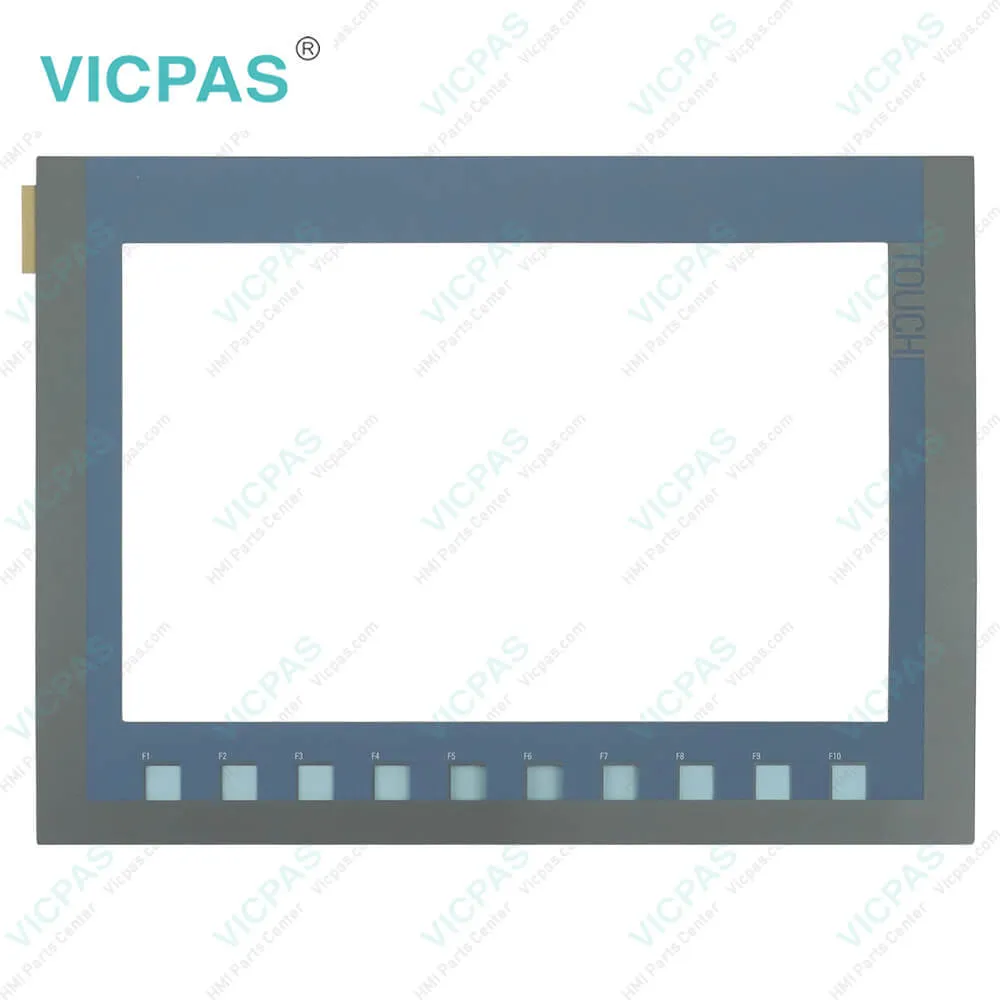
6AV2123-2MB03-0AX0 Siemens Simatic HMI KTP1200 Basic Panel
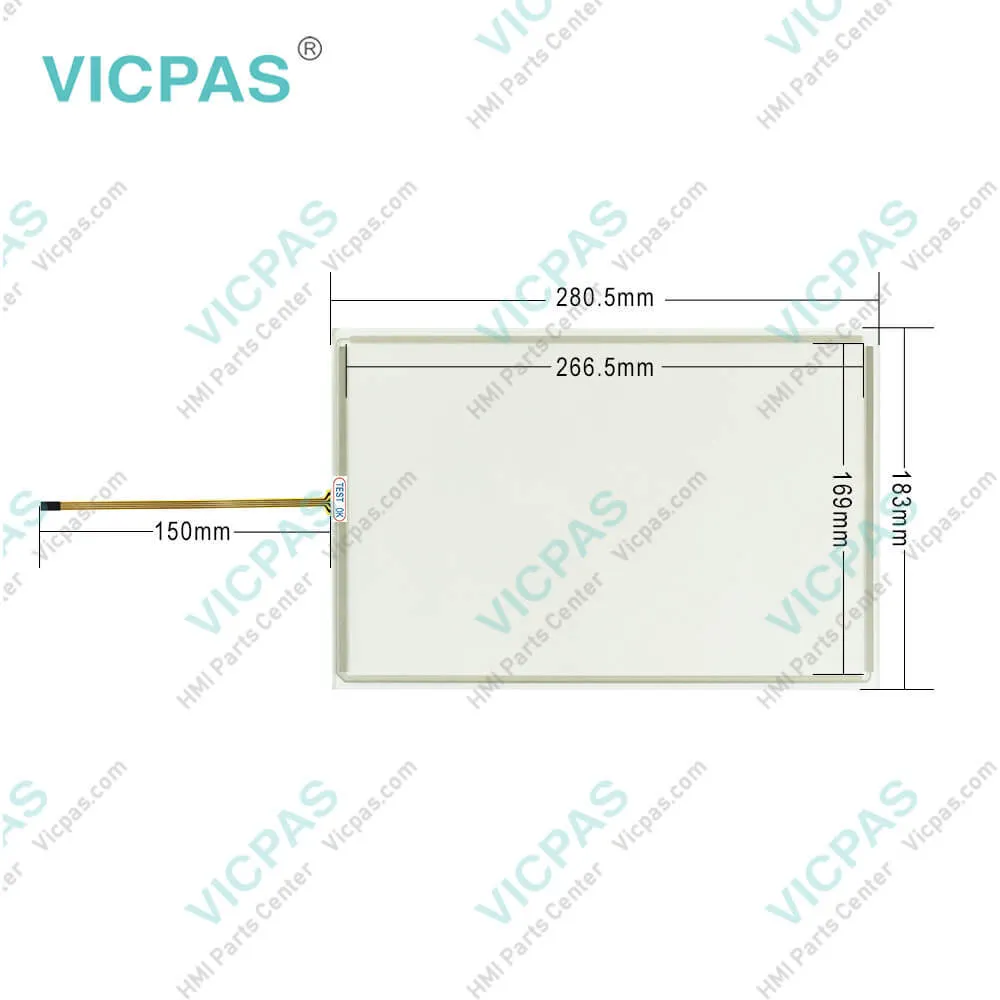
6AV2123-2MB03-0AX0 Siemens Simatic HMI KTP1200 Basic Panel

6AV2123-2MB03-0AX0 Siemens Simatic HMI KTP1200 Basic Panel6AV2123-2MB03-0AX0 Siemens Simatic HMI KTP1200 Basic Panel6AV2123-2MB03-0AX0 Siemens Simatic HMI KTP1200 Basic Panel6AV2123-2MB03-0AX0 Siemens Simatic HMI KTP1200 Basic Panel6AV2123-2MB03-0AX0 Siemens Simatic HMI KTP1200 Basic Panel
BrandSIEMENS
Model6AV2 123-2MB03-0AX0
Warranty365 Days
Product LineKTP1200 Basic
PartsTouch Screen Panel Glass
FOB portGuangzhou, Shenzhen, Hongkong
Terms of PaymentWestern Union, MoneyGram, T/T, Paypal, PayPal, Credit Card
Download
Update Time2026-01-30 20:20:32
Leading Time{{selectedConditionObj.leading}}
{{item.value}}
{{nameObj.name}}{{nameObj.selectedValue}}
{{valueObj.name}}

Shipping

Free Shipping

Those shipping costs are only estimates, the actual shipping cost will be shown on the order page.

Detail Information

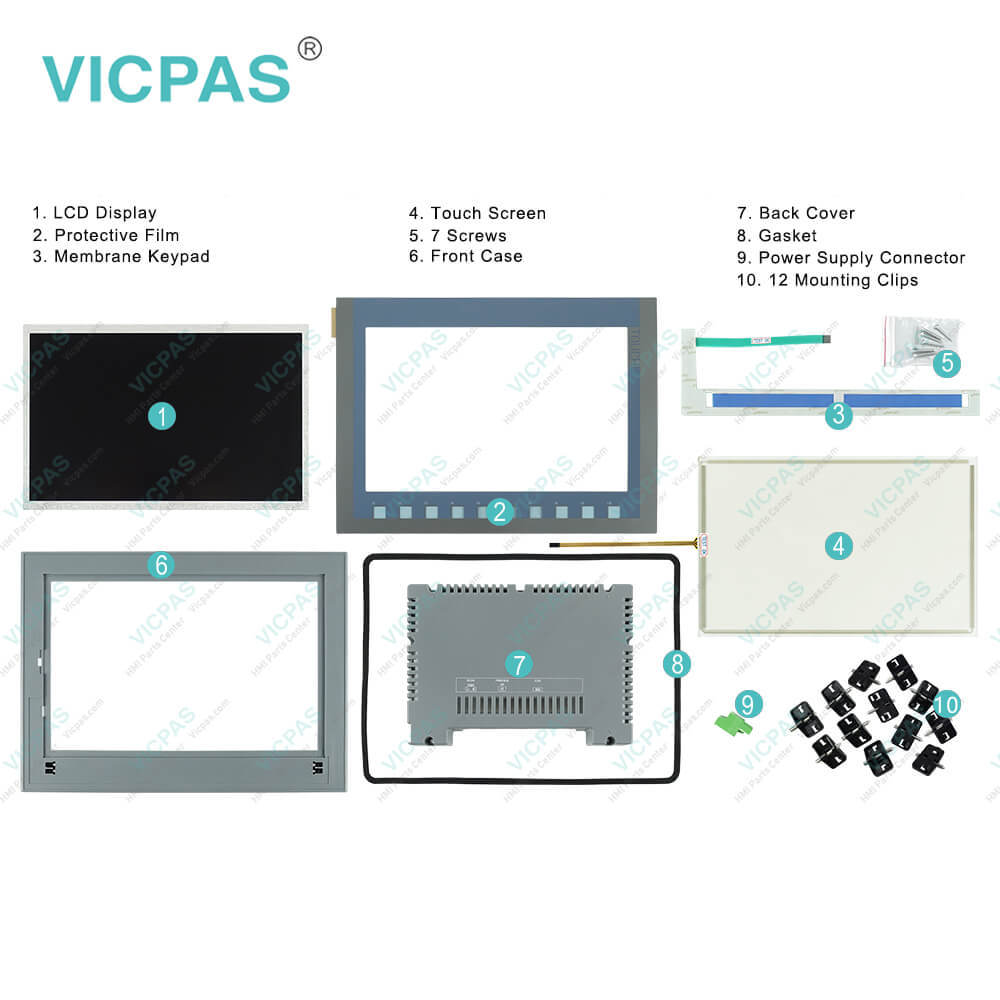
6AV2123-2MB03-0AX0 Siemens Simatic HMI KTP1200 Basic Touchscreen Panel Glass, Membrane Keypad, Mounting Clips, Plastic Cover, Power Supply Connector, Case Gasket, LCD Gasket, Screws and LCD Display

Order each part separately is available

6AV2123-2MB03-0AX0 Siemens Simatic HMI KTP1200 Basic Touchscreen Panel Glass, Overlay, Plastic Shell, Power Supply Connector, LCD Gasket, Case Gasket, Mounting Clips, Screws and LCD Display Repair Replacement

6AV2 123-2MB03-0AX0 SIMATIC HMI, KTP1200 Basic, Basic Panel, Key/touch operation,12" TFT display, 65536 colors, PROFINET interface, configurable from WinCC Basic V13/ STEP 7 Basic V13, contains open-source software, which is provided free of charge see enclosed CD


The visualization of Siemens KTP1200 Basic allows for considerably increased process quality with compact plants or smaller applications. Featuring all important HMI basic functions, SIMATICHMI Basic Panels Generation thus opens up completely new possibilities in terms of operation and monitoring in the field of mechanical engineering at a particularly attractive price. Besides, These also support vertical configuration. Their high resolution and color depth of 64,000 colors facilitate improved process visualization. The displays’ brightness is dimmable up to 100 %, offering optimum flexibility.


Kernfix supply 6AV2 123-2MB03-0AX0 Siemens KTP1200 Basic touch panel, Overlay, Enclosure, Case Gasket, LCD Gasket, Power Supply Connector, Screws, Mounting Clips and LCD display. All of them with Kernfix 365 days warranty and support Urgent Worldwide Shipping.


Specifications:

Part Number:6AV2123-2MB03-0AX0
Touchscreen:colour LCD display
Design of display:TFT widescreen display
Warranty:365 days Warranty
Product Line:Siemens KTP1200 Basic
Active power input, typ.:12.2 W
Mounting position:vertical
Key Features:Touch screen support
Language:Worldwide
Processor type:ARM


Related BB Teach Pendant Part No. :

6AV2 123-2MB03-0AX0Description Inventory status
6AG1123-2MA03-2AX0SIPLUS HMI KTP1200 BASIC DPIn Stock
6AG1123-2MB03-2AX0SIPLUS HMI KTP1200 BASICIn Stock
6AV2123-2MA03-0AX0SIMATIC HMI KTP1200 BASIC DPAvailable Now
6AV2123-2MB03-0AX0SIMATIC HMI KTP1200 BASICIn Stock

6AV2123-2MB03-0AX0 Siemens Simatic HMI KTP1200 Basic Panel PDF Download:

  • SIMATIC KTP Basic
  • 6AV2123-2MB03-0AX0 SIMATIC HMI KTP1200 BASIC COLOR datasheet pdf
  • Siemens Simatic KTP1200 Basic HMI touchpanel manual

  • FAQ:

    Question: What is the size of 6AV2123-2MB03-0AX0 Siemens KTP1200 touch panel??

    Answer: The Siemens KTP1200 Basic TouchScreen is 12.1-inch.It is 280.5 millimeter long and 183 millimeters wide.

    Question: How to reset Siemens Simatic KTP1200 to factory state?

    Answer: To restore the factory settings on the HMI device, follow these steps:1. Set the HMI device to "bootstrapping" mode.– Open the "OP Properties" dialog on the HMI device in the Control Panel.– Switch to the "Device" tab and select "Reboot".The "Attention" dialog box opens.– Select "Prepare for Reset".The HMI device restarts and switches to "bootstrapping" mode. If you do not reset the HMI device to the factory settings, the HMI device restarts after 10 minutes.2. Select the "Update operating system" command in the "Online > HMI device maintenance" menu on the configuration PC in WinCC.The "SIMATIC ProSave [OS-Update]" dialog box opens. The path to the image of the operating system is already set.3. If needed, select another path for the operating system image that you wish to transfer to the HMI device.4. Enable "Reset to factory settings".5. Enter the MAC address of the HMI device.6. Click "Update OS".The operation can take some time.

    Question: What is the 6AV2123-2MB03-0AX0 Siemens KTP1200 Basic HMI parts price?

    Answer: Submit a fast quote, send Kernfix an email for best price.


    Common misspellings:

    6AV2123-2B03-0AX0

    6AV2123-2M03-0AX0

    6AV2123-2MB3-0AX0

    6AV2123-2MB0-0AX0

    6AV2123-2MB030AX0

    6AV2123-2MB03-AX0

    6AV2123-2MB03-0X0

    Please send your message to us
    *Email
    Mobile Phone
    *Title
    *Content
    Upload
    • Only supports .rar/.zip/.jpg/.png/.gif/.doc/.xls/.pdf, maximum 20MB.
    Do you want to quickly know the product quotation you need?
    • Fast QuoteFast Quote
    • Worldwide ShippingWorldwide Shipping
    • 12 Months Warranty12 Months Warranty
    • Customize ServiceCustomize Service
    subscription
    KEEP IN TOUCH
    Please send your message to us
    *Email
    Mobile Phone
    *Title
    *Content
    Upload
    • Only supports .rar/.zip/.jpg/.png/.gif/.doc/.xls/.pdf, maximum 20MB.
    CONTACT US
    QR code
    Mobile Web
    1.378830s