Grideal.com-Leading global industrial mall.
Quick Service for Full HMI Parts Replacement
Touchscreen-Keypad-Display-Case & More Search 80000 Inventory
user photo
Account
Login
Cart
0
Home / All / B&R Power Panel / Power Panel PP65 / Touchscreen Panel Front Overlay for 4PP065.0571-K02
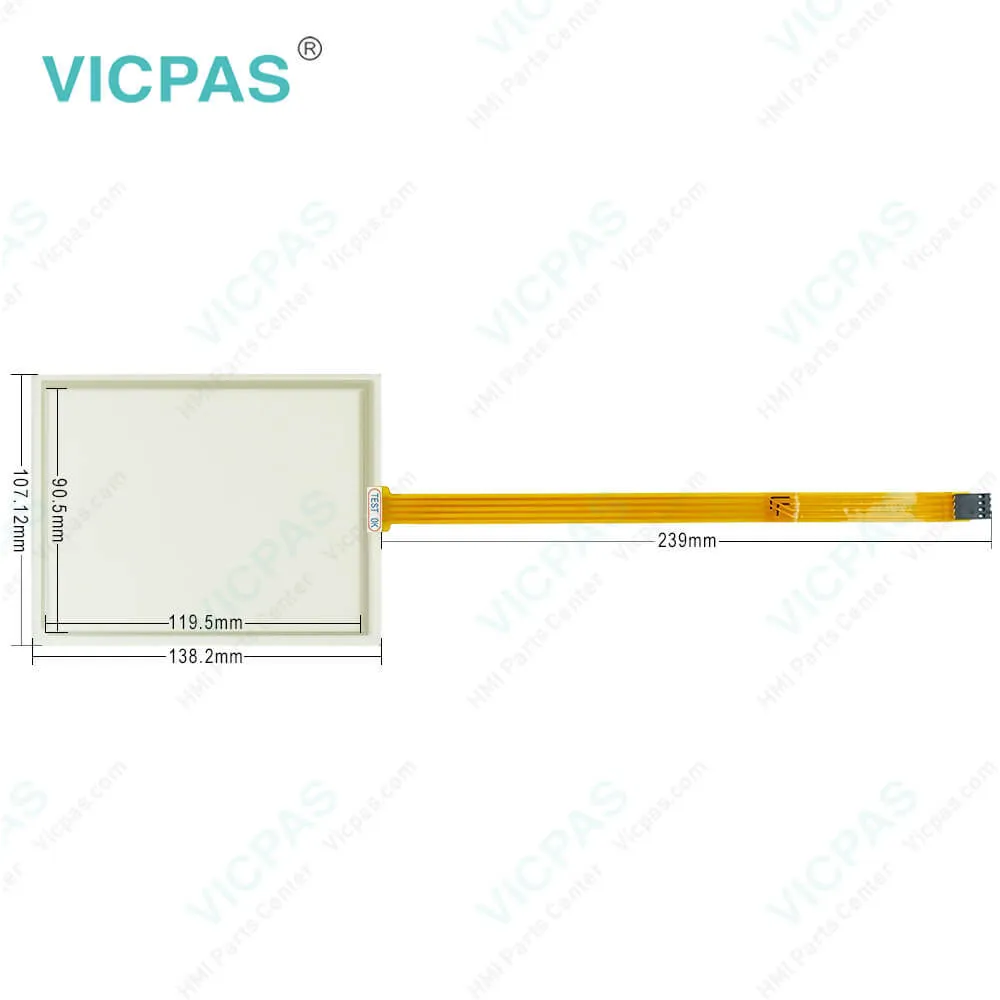
Touchscreen Panel Front Overlay for 4PP065.0571-K02
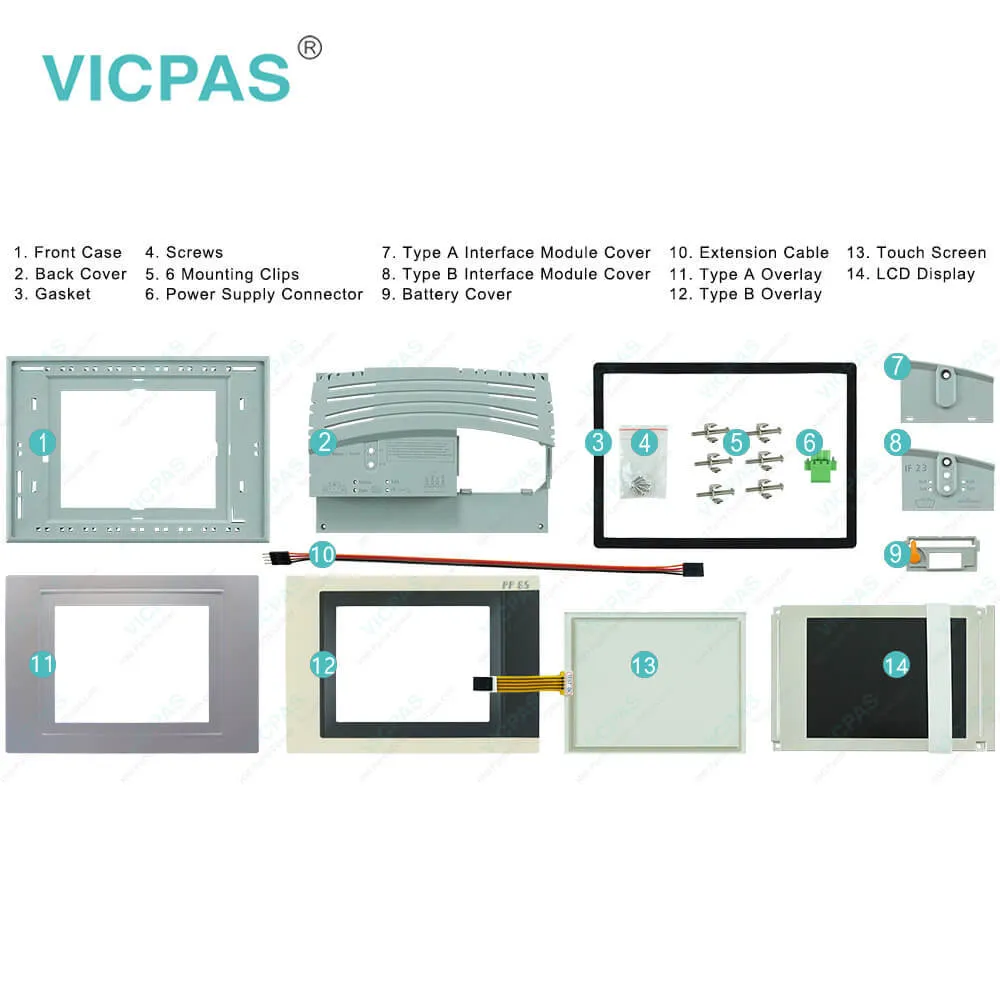
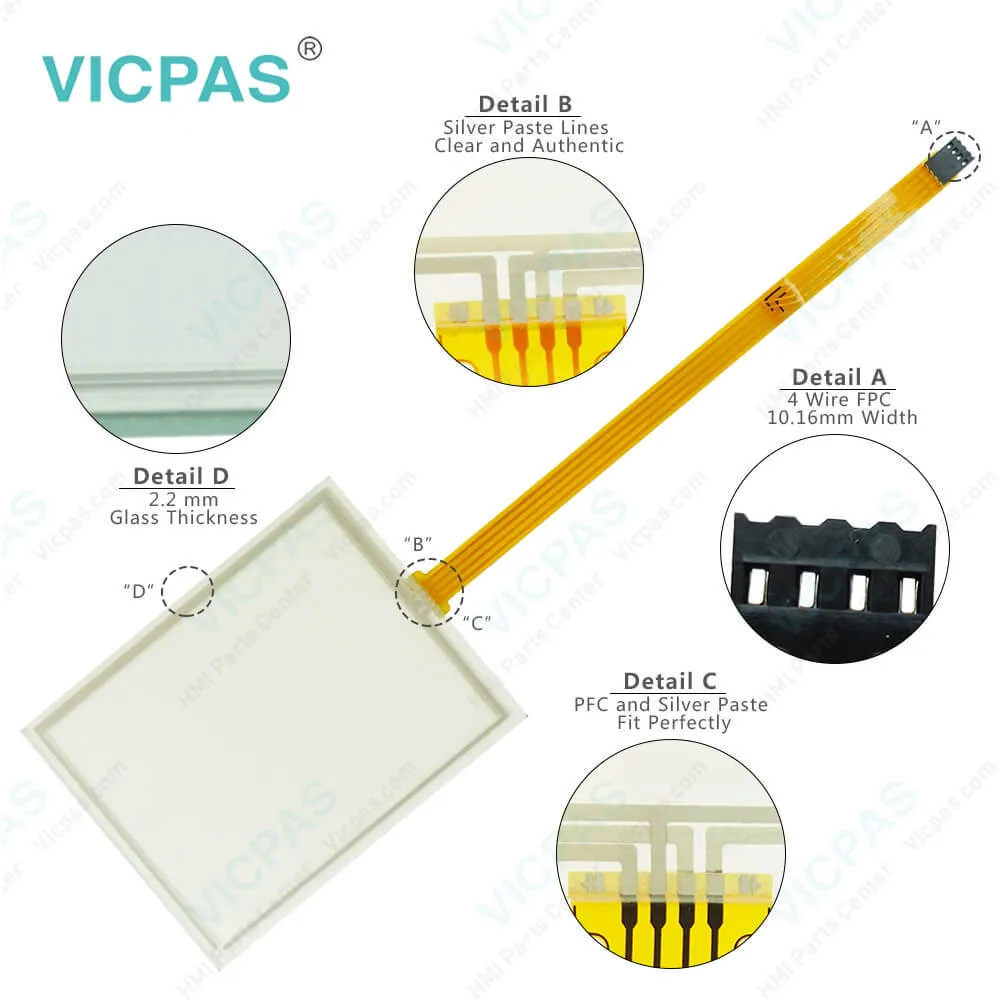
Touchscreen Panel Front Overlay for 4PP065.0571-K02
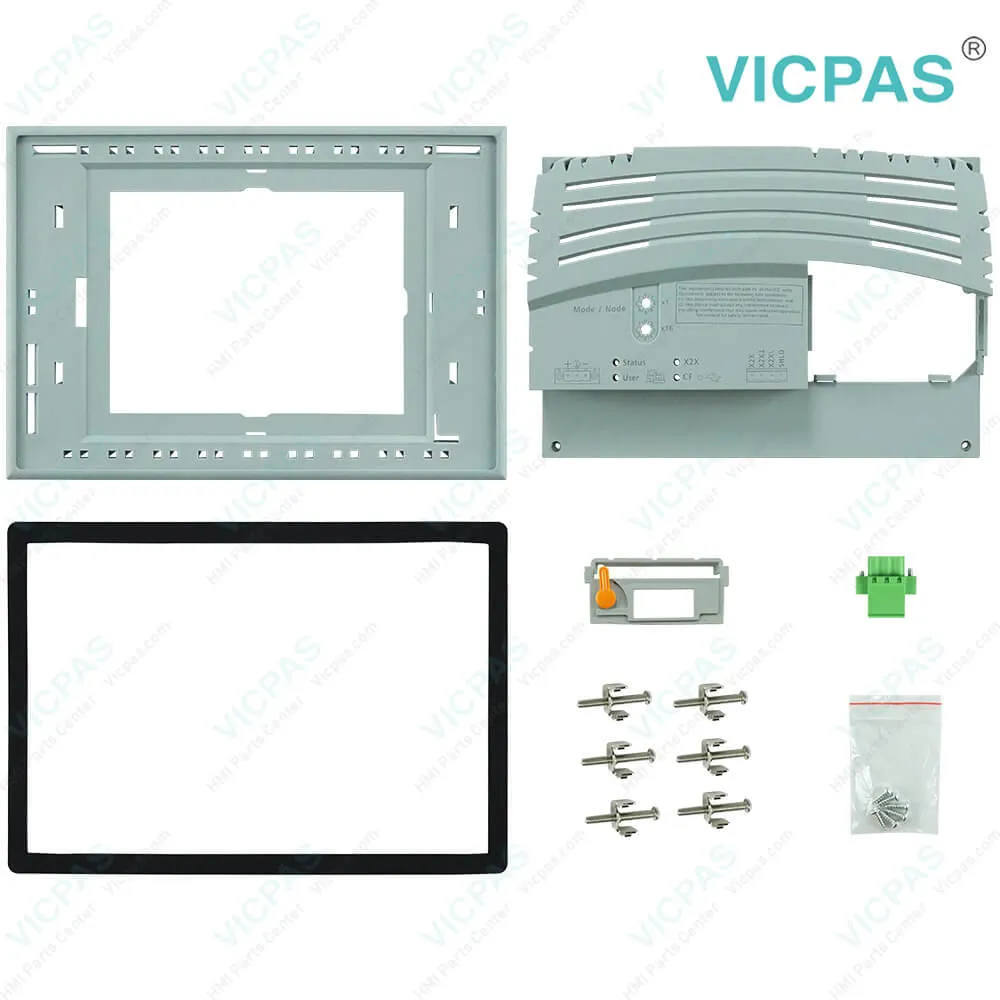
Touchscreen Panel Front Overlay for 4PP065.0571-K02Touchscreen Panel Front Overlay for 4PP065.0571-K02Touchscreen Panel Front Overlay for 4PP065.0571-K02Touchscreen Panel Front Overlay for 4PP065.0571-K02Touchscreen Panel Front Overlay for 4PP065.0571-K02
BrandB&R
ModelB&R Power Panel 65 4PP065.0571-K02
Warranty1 Year VICPAS Warranty
ShippingDHL/FedEx/UPS/TNT/EMS/Aramex /DPEX
FOB portGuangzhou, Shenzhen, Hongkong
Terms of PaymentWestern Union, T/T, PayPal, Credit Card
Download
Update Time2026-02-09 17:35:07
Leading Time{{selectedConditionObj.leading}}
{{item.value}}
{{nameObj.name}}{{nameObj.selectedValue}}
{{valueObj.name}}

Shipping

Free Shipping

Those shipping costs are only estimates, the actual shipping cost will be shown on the order page.

Detail Information

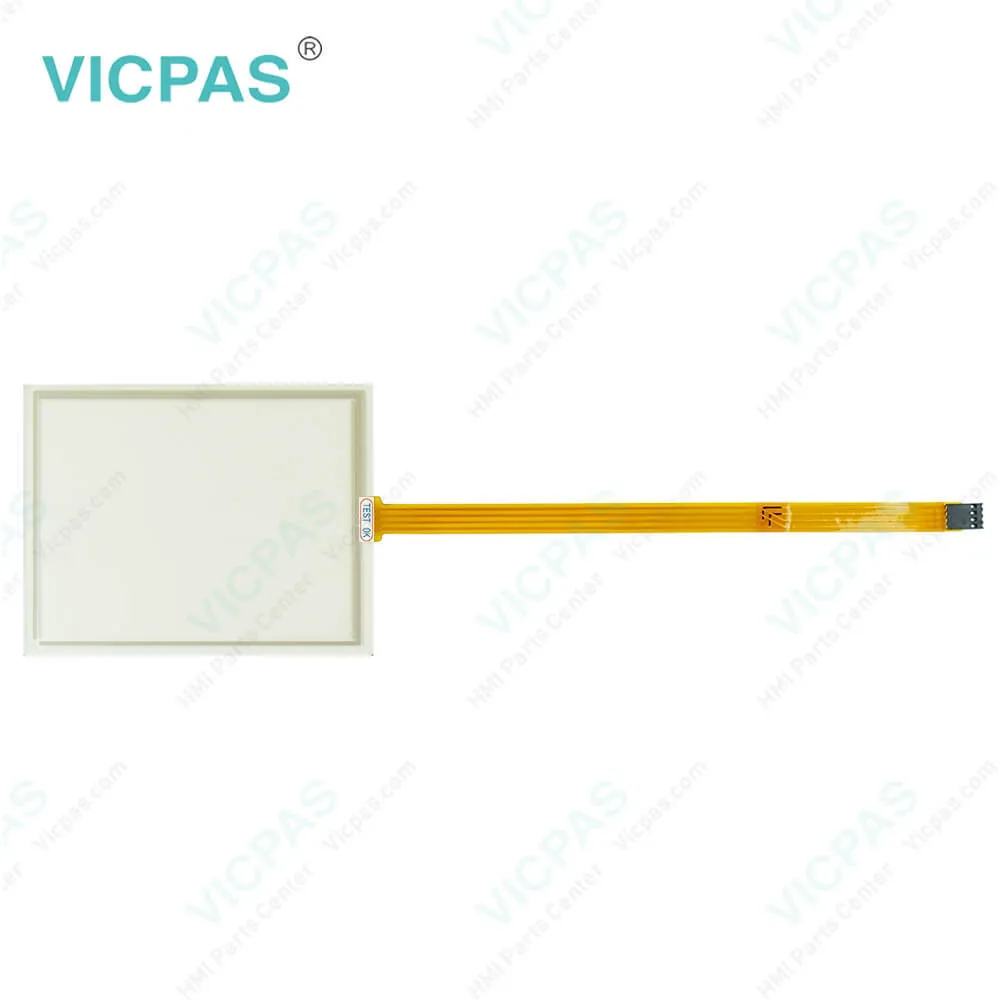
B&R Power Panel 65 4PP065.0571-K02 Protective Film Touch Digitizer Enclosure LCD Display HMI Spare Parts Repair

Order each part separately is available

Power Panel 65 4PP065.0571-K02 Front Overlay, Touch Membrane, Plastic Case, Gasket, LCD Panel, Interface Module Cover, Power Supply Connector, Screws, Battery Cover, Extension Cable and Mounting Clips Replacement

The PP65 4PP065.0571-K02 is both a controller and an operator panel, including repair parts Power Supply Connector, LCD Display, Housing, Screws, Extension Cable, Battery Cover, Interface Module Cover, Protective Film, Touch Screen Glass, Mounting Clips and Gasket. Any necessary peripherals can be connected using the integrated X2X interface. Using the optional interface modules, it is also possible to connect other B&R products or even to integrate the PP65 into control systems from other manufacturers. All components are situated in a compact housing with a 3.5" or 5.7" QVGA TFT display.


4PP065.0571-K02 Equipped with 2 USB interfaces and a Fast Ethernet port for exchanging data with higher-level systems, the PP65 4PP065.0571-K02 is also available with integrated X2X or POWERLINK interface options for connecting remote I/O modules and drives. These systems can be further extended with RS232/RS485, CAN and PROFIBUS DP slave interfaces to meet any requirement.


Kernfix supply B and R Power Panel 65 4PP065.0571-K02 HMI parts Extension Cable, Interface Module Cover, Touch Screen Tablet, Gasket, Battery Cover, Mounting Clips, Power Supply Connector, LCD Screen, Screws, Protective Film, Front Case and Back Cover to replace, make the HMI running. We provide a 1-year warranty on most products, which includes most of touch screen panel, front overlay and display.


Specifications:

Part Number:4PP065.0571-K02
Product Line:Power Panel 65
Screen diagonal:5.7 in
Warranty:365 Days Warranty
Input Power:24 VDC
Display Type:TFT color
Mounting position:vertical
Input Type:Touchscreen
Remanent Variables:32 kB
Storage:-20 to 70°C


Related BB Teach Pendant Part No. :

B&R Power Panel 65 4PP065.0571-K02Description Inventory status
4PP065-0351-P74Power Panel 65 Membrane Keypad Keyboard Touch Screen ReplacementIn Stock
4PP065-0351-X74B&R PP65 Membrane Keypad Touchscreen Panel ReplacementAvailable Now
4PP065-0351-K01B and R Power Panel 65 Touch Screen Panel Keyboard MembraneAvailable Now
4PP065-0571-K01Power Panel 65 B&R Touch Panel Protective Film Repair KitIn Stock
4PP065-0571-P74Power Panel 65 B and R Protective Film Touchscreen GlassIn Stock
4PP065-0571-X74B and R PP65 HMI Touch Screen Panel Front Overlay ReplacementAvailable Now
4PP065-0571-P4Power Panel 65 Touch Screen Panel Protective Film Replacement KitIn Stock
4PP065-0571-K28B and R Power Panel 65 Touchscreen Membrane Front Overlay Repair KitAvailable Now
4PP065-0571-K58Power Panel 65 B and R Touch Screen Protective Film ReplacementIn Stock
4PP065-0571-K02B and R Power Panel 65 Touch Screen Panel Glass ReplacementAvailable Now
4PP065-0571-K03B and R Power Panel 65 Touch Membrane Repair ReplacementAvailable Now
4PP065-0571-K04Power Panel 65 B&R Touch Screen Panel Replacement RepairAvailable Now
4PP065-0351-P74Power Panel 65 Membrane Keypad Keyboard Touch Screen ReplacementIn Stock
4PP065-0351-X74B&R PP65 Membrane Keypad Touchscreen Panel ReplacementAvailable Now
4PP065-0351-K01B and R Power Panel 65 Touch Screen Panel Keyboard MembraneAvailable Now
4PP065-0571-K01Power Panel 65 B&R Touch Panel Protective Film Repair KitIn Stock
4PP065-0571-P74Power Panel 65 B and R Protective Film Touchscreen GlassIn Stock
4PP065-0571-X74B and R PP65 HMI Touch Screen Panel Front Overlay ReplacementAvailable Now
4PP065-0571-P4Power Panel 65 Touch Screen Panel Protective Film Replacement KitIn Stock
4PP065-0571-K28B and R Power Panel 65 Touchscreen Membrane Front Overlay Repair KitAvailable Now
4PP065-0571-K58Power Panel 65 B and R Touch Screen Protective Film ReplacementIn Stock
4PP065-0571-K02B and R Power Panel 65 Touch Screen Panel Glass ReplacementAvailable Now
4PP065-0571-K03B and R Power Panel 65 Touch Membrane Repair ReplacementAvailable Now
4PP065-0571-K04Power Panel 65 B&R Touch Screen Panel Replacement RepairAvailable Now

Touchscreen Panel Front Overlay for 4PP065.0571-K02 PDF Download:
  • Power Panel 65
  • B&R Power Panel 65 4PP065.0571-K02 User's Manual
  • Power Panel 65
  • B&R Power Panel 65 4PP065.0571-K02 User's Manual

  • FAQ:

    Question: What is the procedure for replacing the B&R Power Panel 65 4PP065.0571-K02 battery?

    Answer: • Disconnect the power supply to the Power Panel.• Touch the housing or ground connection in order to discharge any electrostatic charge from your body.• Remove the battery cover from the top of the Power Panel device using a screwdriver (1).• Carefully remove the used battery from its fitting by pulling the removal strip (2).• In order to prevent a short circuit, do not touch the new battery with pliers or uninsulated tweezers. The battery should not be held by its edges.• Insert the new battery with the correct polarity. To make the next battery change easier, be sure the removal strip is in place when inserting the battery.• Replace the battery cover.• Reconnect the power supply to the Power Panel.• Reset the date and time (using B&R Automation Studio).

    Question: How to clean B&R Power Panel 4PP065.0571-K02 devices?

    Answer: Power Panel devices should be cleaned with a moist cloth. The cloth should be moistened with water and detergent, a screen cleaning agent or alcohol (ethanol). The cleaning agent should be applied to the cloth beforehand, not sprayed directly on the Power Panel! Never use aggressive solvents, chemicals, scouring agents, pressurized air or steam-jet air ejectors.

    Question: What is the 4PP065.0571-K02 B&R PP65 touch screen panel LCD screen housing front overlay repair parts price?

    Answer: Submit a fast quote, send Kernfix an email for best price.


    Common misspellings:

    4PPO65.0571-K02

    4PPo65.0571-K02

    4PP065.057l-K02

    4PP065.0571-02

    4PP065.0571--K02

    Please send your message to us
    *Email
    Mobile Phone
    *Title
    *Content
    Upload
    • Only supports .rar/.zip/.jpg/.png/.gif/.doc/.xls/.pdf, maximum 20MB.
    Do you want to quickly know the product quotation you need?
    • Fast QuoteFast Quote
    • Worldwide ShippingWorldwide Shipping
    • 12 Months Warranty12 Months Warranty
    • Customize ServiceCustomize Service
    subscription
    KEEP IN TOUCH
    Please send your message to us
    *Email
    Mobile Phone
    *Title
    *Content
    Upload
    • Only supports .rar/.zip/.jpg/.png/.gif/.doc/.xls/.pdf, maximum 20MB.
    CONTACT US
    QR code
    Mobile Web
    1.545677s