



Grideal.com-Leading global industrial mall.
Quick Service for Full HMI Parts Replacement
Touchscreen-Keypad-Display-Case & More Search 80000 Inventory
user photo
Account
Login
Cart
0
Home / All / B&R Power Panel / Power Panel PP65 / Power Panel 65 4PP065.0351-K02 Keypad Touchscreen Repair
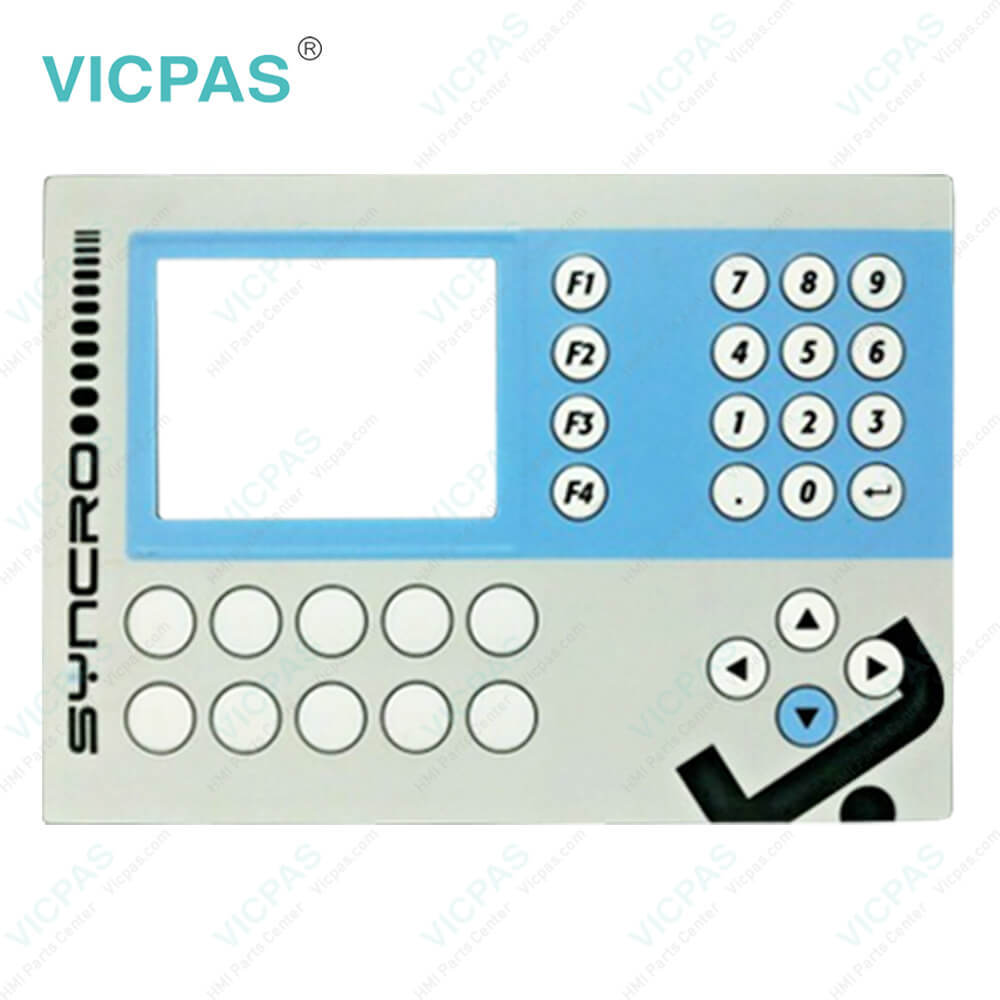
Power Panel 65 4PP065.0351-K02 Keypad Touchscreen Repair

Power Panel 65 4PP065.0351-K02 Keypad Touchscreen Repair
BrandB&R
ModelB&R Power Panel 65 4PP065.0351-K02
Warranty1 Year VICPAS Warranty
ShippingDHL/FedEx/UPS/TNT/EMS/Aramex /DPEX
FOB portGuangzhou, Shenzhen, Hongkong
Terms of PaymentWestern Union, T/T, PayPal, Credit Card
Download
Update Time2026-02-09 17:36:27
Leading Time{{selectedConditionObj.leading}}
{{item.value}}
{{nameObj.name}}{{nameObj.selectedValue}}
{{valueObj.name}}

Shipping

Free Shipping

Those shipping costs are only estimates, the actual shipping cost will be shown on the order page.

Detail Information

B&R Power Panel 65 4PP065.0351-K02 Membrane Keypad Touch Panel Repair Replacement


Power Panel 65 4PP065.0351-K02 Keyboard Membrane Touchscreen Glass

B&R PP65 4PP065.0351-K02 touch screen devices are equipped with a touch controller that supports hardware calibration. This means that devices are pre-calibrated when delivered. This feature is a particularly helpful advantage for replacement parts because recalibration is usually no longer necessary when replacing the device (identical model/type). Nevertheless, calibrating the device is still recommended in order to achieve the best results and to better adapt the touch screen to the user's preferences.


The PP65 4PP065.0351-K02 is equipped with a powerful Geode LX800 processor with 500 MHz clock frequency. With this computing power, the PP65 provides performance that was previously only achieved by the PP400. The PP65 is therefore especially suitable for multi-axis applications that require lots of computing power but only have limited space in the control cabinet. The compact dimensions of the PP45 have been taken over in this case.


The Power Panel 65 4PP065.0351-K02 is an especially compact addition to the proven Power Panel product family. Modular fieldbus interfaces ensure flexible integration in all configurations.
Ethernet, POWERLINK and X2X Link are used for the communication system. Additionally, these devices have been equipped with a slot for interface modules. Depending on requirements, the Power Panel 65 can be expanded with CAN bus, a PROFIBUS DP slave or an RS485/RS232 interface, making it perfectly suited for demanding tasks. Customized panel overlay designs are also available.
• Cost-effective complete solution
• Compact dimensions
• Integrates controller, visualization and I/O interface


Specifications:

Part Number:4PP065.0351-K02
Product Line:Power Panel 65
Screen diagonal:3.5 in
Warranty:365 Days Warranty
Input Power:24 VDC
Display Type:TFT color
Mounting position:vertical
Input Type:Touchscreen/Keypad
Function keys:14 (with slide-in labels)
Storage:-20 to 70°C


Related BB Teach Pendant Part No. :

B&R Power Panel 65 4PP065.0351-K02Description Inventory status
4PP065.0351-K02Power Panel 65 B&R Touch Screen Panel Glass Membrane Keyboard ReplacementIn Stock
4PP065.0571-K07B&R PP65 Touch Screen Panel Membrane Switch ReplacementAvailable Now
4PP065.0571-K68B and R Power Panel 65 Membrane Keypad Touchscreen Panel RepairAvailable Now
4PP065.0573-K03Power Panel 65 B&R Touch Panel Protective Film Repair KitIn Stock
4PP065.1043-K02Power Panel 65 B&R Front Overlay MMI Touch Glass ReplaceIn Stock
4PP065.1043-K04Power Panel 65 B and R Membrane Switch Touchscreen GlassIn Stock
4PP065.1043-K07B&R Power Panel 65 Touchscreen Membrane Keypad KeyboardAvailable Now
4PP065.1043-K09B and R PP65 HMI Touch Screen Panel Membrane Keypad ReplacementAvailable Now
4PP065.1043-K13 REV.E0Power Panel 65 Touch Screen Panel Keyboard Membrane Replacement KitIn Stock
4PP065.1043-K14Power Panel 65 B and R Touch Screen Terminal Keypad RepairIn Stock
4PP065.0351-K02Power Panel 65 B&R Touch Screen Panel Glass Membrane Keyboard ReplacementIn Stock
4PP065.0571-K07B&R PP65 Touch Screen Panel Membrane Switch ReplacementAvailable Now
4PP065.0571-K68B and R Power Panel 65 Membrane Keypad Touchscreen Panel RepairAvailable Now
4PP065.0573-K03Power Panel 65 B&R Touch Panel Protective Film Repair KitIn Stock
4PP065.1043-K02Power Panel 65 B&R Front Overlay MMI Touch Glass ReplaceIn Stock
4PP065.1043-K04Power Panel 65 B and R Membrane Switch Touchscreen GlassIn Stock
4PP065.1043-K07B&R Power Panel 65 Touchscreen Membrane Keypad KeyboardAvailable Now
4PP065.1043-K09B and R PP65 HMI Touch Screen Panel Membrane Keypad ReplacementAvailable Now
4PP065.1043-K13 REV.E0Power Panel 65 Touch Screen Panel Keyboard Membrane Replacement KitIn Stock
4PP065.1043-K14Power Panel 65 B and R Touch Screen Terminal Keypad RepairIn Stock

Power Panel 65 4PP065.0351-K02 Keypad Touchscreen Repair PDF Download:

  • Power Panel 65
  • B&R Power Panel 65 User's Manual
  • Power Panel 65
  • B&R Power Panel 65 User's Manual

  • FAQ:

    Question: How to removing the Power Panel 65 4PP065.0351-K02 CompactFlash card?

    Answer: Rotate the orange CompactFlash safety latch away from the CompactFlash slot (1). Then press the CompactFlash ejection lever (2) with a screwdriver until the CompactFlash card is ejected. The CompactFlash card can now be removed by hand (3).

    Question: How to install the B and R PP65 4PP065.0351-K02 interface modules?

    Answer: 1) Remove the screws from the cover.2) Remove the cover.3) Insert the interface module into the PP65.4) Apply light pressure until the interface module is inserted all the way.5) Secure the interface module with the screws (max. 0.6 Nm).

    Question: How can B and R Power Panel 65 4PP065.0351-K02 screen burn-in be avoided?

    Answer: There is no perfect solution. There are ways to significantly reduce this effect, however:• Avoid static images or screen content.• Use screensavers (animated) if the display is not in use.• Frequent picture change• Turn off the display when not in use.Turning off the backlight does not help prevent screen burn-in.


    Common misspellings:

    4PP065.0351-K0

    4PP065.035-K02

    4PP0650.351-K02

    4PP065.035l-K02

    4PP0065.0351-K02

    Please send your message to us
    *Email
    Mobile Phone
    *Title
    *Content
    Upload
    • Only supports .rar/.zip/.jpg/.png/.gif/.doc/.xls/.pdf, maximum 20MB.
    Do you want to quickly know the product quotation you need?
    • Fast QuoteFast Quote
    • Worldwide ShippingWorldwide Shipping
    • 12 Months Warranty12 Months Warranty
    • Customize ServiceCustomize Service
    subscription
    KEEP IN TOUCH
    Please send your message to us
    *Email
    Mobile Phone
    *Title
    *Content
    Upload
    • Only supports .rar/.zip/.jpg/.png/.gif/.doc/.xls/.pdf, maximum 20MB.
    CONTACT US
    QR code
    Mobile Web
    1.634412s