



Grideal.com-Leading global industrial mall.
Quick Service for Full HMI Parts Replacement
Touchscreen-Keypad-Display-Case & More Search 80000 Inventory
user photo
Account
Login
Cart
0
Home / All / B&R Power Panel / Automation Panel Terminal / 5AP1120.1043-F11 Touch Screen Panel Replacement
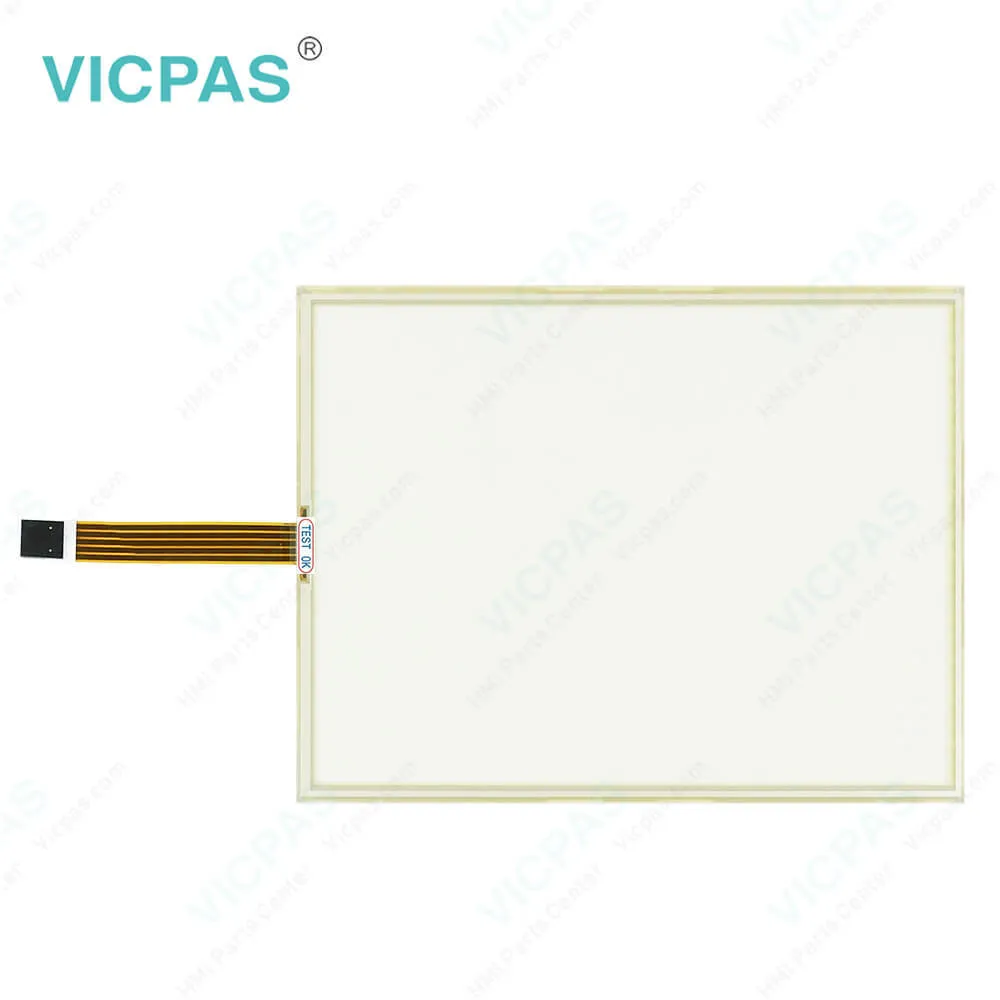
5AP1120.1043-F11 Touch Screen Panel Replacement

5AP1120.1043-F11 Touch Screen Panel Replacement
BrandB&R
ModelB&R Automation Panel 1000 5AP1120.1043-F11
Warranty1 Year VICPAS Warranty
Touch Screen Panel TypeResistance touch screen
ShippingDHL/FedEx/UPS/TNT/EMS/Aramex /DPEX
FOB portGuangzhou, Shenzhen, Hongkong
Terms of PaymentWestern Union, T/T, PayPal, Credit Card
Download
Update Time2026-02-09 17:26:49
Leading Time{{selectedConditionObj.leading}}
{{item.value}}
{{nameObj.name}}{{nameObj.selectedValue}}
{{valueObj.name}}

Shipping

Free Shipping

Those shipping costs are only estimates, the actual shipping cost will be shown on the order page.

Detail Information

B&R Automation Panel 1000 5AP1120.1043-F11 Touch Screen Glass Repair Replacement


Automation Panel 1000 5AP1120.1043-F11 Touch Screen Panel Glass

The following device families can be connected to the Automation Panel 1000 5AP1120.1043-F11:
• Automation PC 510
• Automation PC 511
• Automation PC 620
• Automation PC 810
• Automation PC 820
• Automation PC 910
• Panel PC 700
• Panel PC 800
• Power Panel 500


The Automation Panel 1000 5AP1120.1043-F11 device is connected to the PC using an SDL connection. The supply and the X2X Link bus connection are both connected to the AP1000 5AP1120.1043-F11 device independent of the SDL connection. For X2X functionality, the supply and the X2X Link bus connection are required. If this is the case, extension units that can be operated via the PC and X2X (C key extensions) can also be accessed and operated without a connection to the PC. That means the machine or system remains operational.


Kernfix supply B and R Automation Panel 1000 5AP1120.1043-F11 touchscreen panel for repair replacement, make the HMI running. We provide a 365 days Kernfix warranty of the most product, which include most of touch screen panel, membrane keypad, protective film, LCD display and protective case shell housing.


Specifications:

Part Number:5AP1120.1043-F11
Product Line:Automation Panel 1000
Screen diagonal:10.4 in
Warranty:365 Days Warranty
Input Power:24 VDC
Display Type:TFT color
Mounting position:Vertical
Input Type:Touchscreen
Serial interface Type:RS232
Storage:-20 to 50°C


Related BB Teach Pendant Part No. :

B&R Automation Panel 1000 5AP1120.1043-F11Description Inventory status
5AP1120.1043-C03B&R Automation Panel 1000 HMI Touch Glass ReplacementAvailable Now
5AP1120.1043-C04 Rev.C0B&R Automation Panel 1000 Touch Digitizer GlassIn Stock
5AP1120.1043-C06B&R Automation Panel 1000 Touch Screen MonitorIn Stock
5AP1120.1043-C09Automation Panel 1000 B and R HMI Panel Glass Operator Keyboard RepairAvailable Now
5AP1120.1043-F11B&R Automation Panel 1000 Touch Screen MonitorIn Stock
5AP1120.1214-C02Automation Panel 1000 B and R Front Overlay MMI Touch ScreenAvailable Now
5AP1120.1505-C06B&R Automation Panel 1000 HMI Touch Screen Protective Film ReplacementIn Stock
5AP1120.1043-C03B&R Automation Panel 1000 HMI Touch Glass ReplacementAvailable Now
5AP1120.1043-C04 Rev.C0B&R Automation Panel 1000 Touch Digitizer GlassIn Stock
5AP1120.1043-C06B&R Automation Panel 1000 Touch Screen MonitorIn Stock
5AP1120.1043-C09Automation Panel 1000 B and R HMI Panel Glass Operator Keyboard RepairAvailable Now
5AP1120.1043-F11B&R Automation Panel 1000 Touch Screen MonitorIn Stock
5AP1120.1214-C02Automation Panel 1000 B and R Front Overlay MMI Touch ScreenAvailable Now
5AP1120.1505-C06B&R Automation Panel 1000 HMI Touch Screen Protective Film ReplacementIn Stock

5AP1120.1043-F11 Touch Screen Panel Replacement PDF Download:

  • B&R Automation Panel 800 User's Manual
  • B&R Automation Panel 1000 User's Manual
  • B&R Automation PC 2100 User's Manual
  • B&R Panel PC 2100 Built-in Devices User's Manual
  • B&R Automation Panel 800 User's Manual
  • B&R Automation Panel 1000 User's Manual
  • B&R Automation PC 2100 User's Manual
  • B&R Panel PC 2100 Built-in Devices User's Manual

  • FAQ:

    Question: How can the B&R Automation Panel 1000 5AP1120.1043-F11 service life of the backlight be extended?

    Answer: • By setting the display brightness to the lowest value that is still comfortable for the eyes• By using dark images• By reducing the brightness by 50%, which can result in an approximately 50% increase in the half-brightness time

    Question: How to clean the B&R Automation Panel 10005AP1120.1043-F11 Terminal Devices?

    Answer: • Right-click on the 3?" floppy icon and select "Format...". This device should be cleaned with a moist cloth. The cloth should be moistened with water and detergent, a screen cleaning agent or alcohol (ethanol). The cleaning agent should be applied to the cloth beforehand, not sprayed directly on the device! Aggressive solvents, chemicals, scouring agents, pressurized air or steam jets should never be used.


    Common misspellings:

    5AP1120.1043-F1

    5AP1120.143-F11

    5A1P120.1043-F11

    5AP112o.1043-F11

    5AP1120.10433-F11

    Please send your message to us
    *Email
    Mobile Phone
    *Title
    *Content
    Upload
    • Only supports .rar/.zip/.jpg/.png/.gif/.doc/.xls/.pdf, maximum 20MB.
    Do you want to quickly know the product quotation you need?
    • Fast QuoteFast Quote
    • Worldwide ShippingWorldwide Shipping
    • 12 Months Warranty12 Months Warranty
    • Customize ServiceCustomize Service
    subscription
    KEEP IN TOUCH
    Please send your message to us
    *Email
    Mobile Phone
    *Title
    *Content
    Upload
    • Only supports .rar/.zip/.jpg/.png/.gif/.doc/.xls/.pdf, maximum 20MB.
    CONTACT US
    QR code
    Mobile Web
    1.509974s