



DMC FST-T190B110I FST-T190C110A Touch Screen Panel Repair

| Model | FST-T190B110I / FST-T190C110A |
|---|---|
| Warranty | 365 Days |
| Shipping | 2-3 workdays |
| FOB port | Guangzhou, Shenzhen, Hongkong |
| Terms of Payment | Western Union, MoneyGram, T/T, Paypal, PayPal, Credit Card |
| Download | |
| Update Time | 2026-01-31 01:13:56 |
Leading Time{{selectedConditionObj.leading}}
{{item.value}}
{{nameObj.name}}{{nameObj.selectedValue}}
{{valueObj.name}}
Shipping
Free Shipping
Those shipping costs are only estimates, the actual shipping cost will be shown on the order page.
Detail Information
DMC FST-T190B110I FST-T190C110A Touch Screen Panel Repair
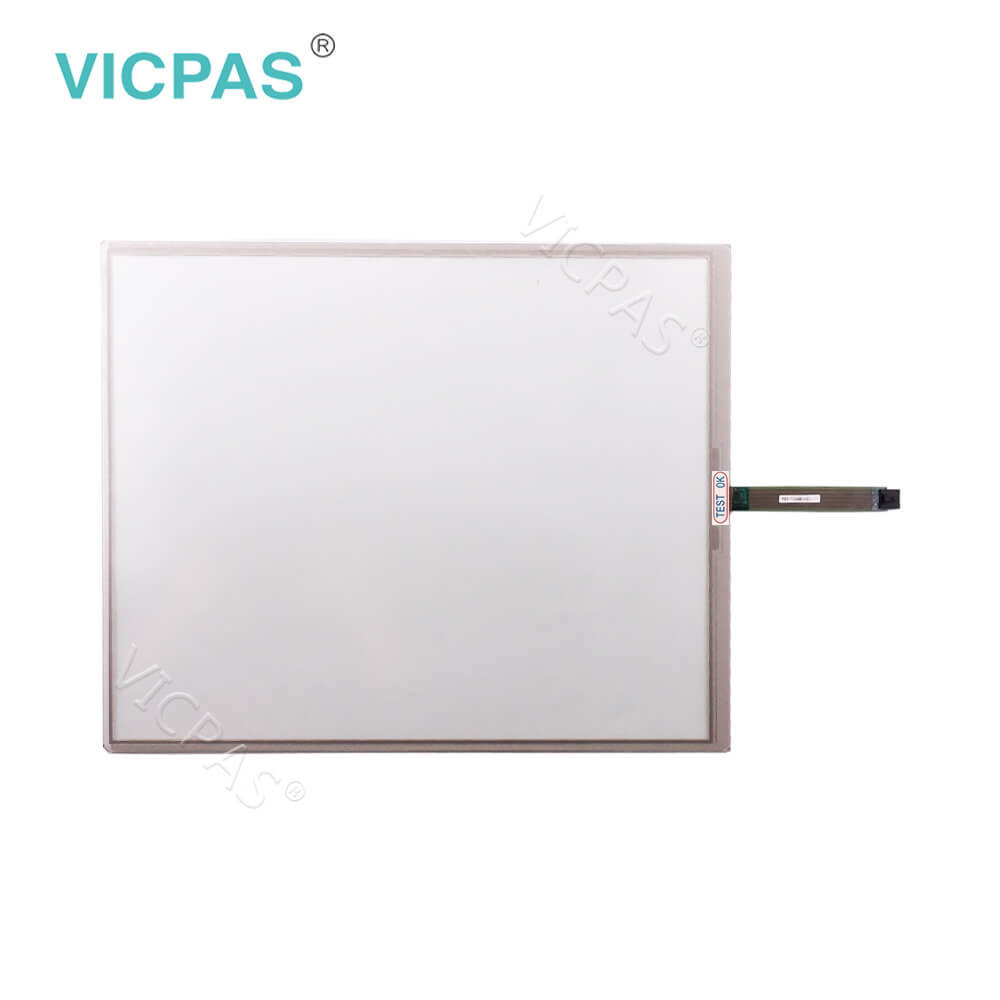
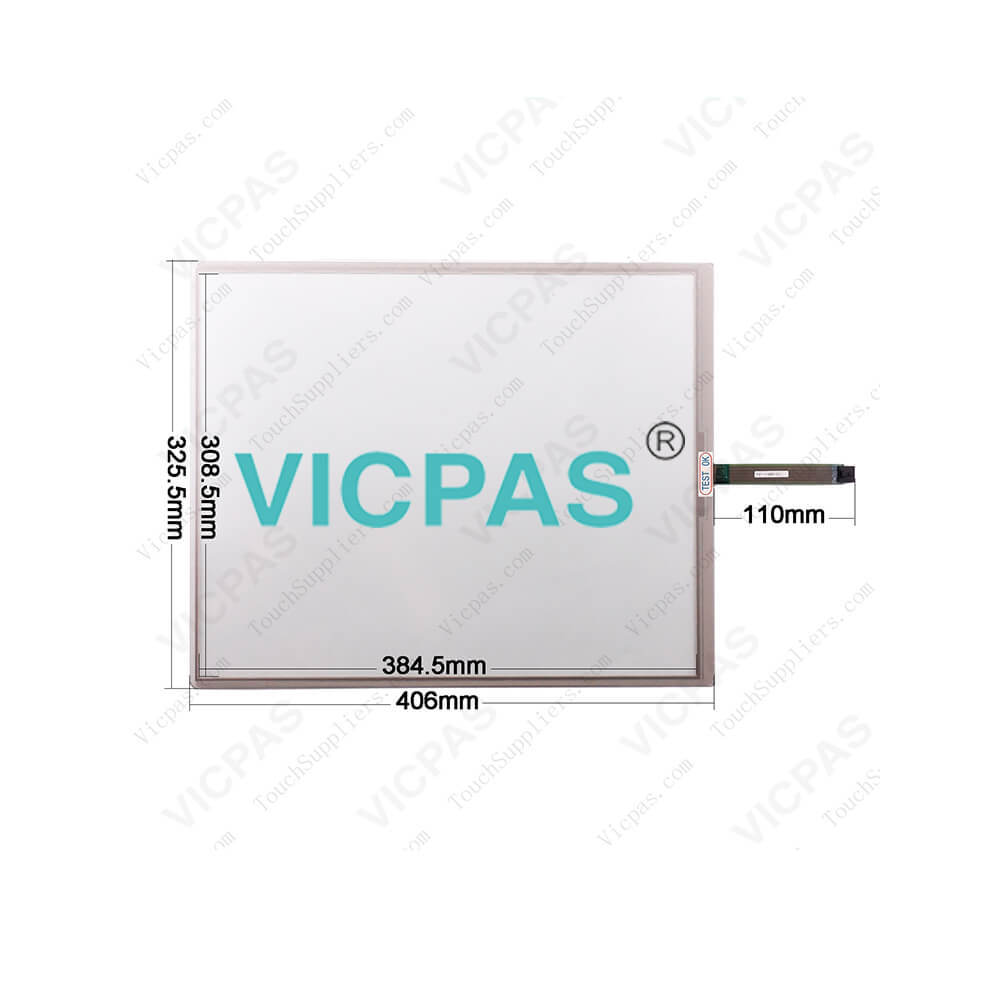
DMC FST-T190B110I FST-T190C110A HMI touch glass size: 19 inch, other general size is 3.0'' to 22'' . DMC FST-T190B110I FST-T190C110A touch digitizer glass adopt to panel display device, DMC FST-T190B110I FST-T190C110A touch screen temperature operating range: -10° C ~ 60° C. DMC FST-T190B110I FST-T190C110A touch panel display Resistance 300Ω
Handling Notes
§ Do not depress or scratch FST-T190B110I FST-T190C110A Touch Screen with any object with a sharp edge or hard end.
§ Do not put FST-T190B110I FST-T190C110A Touch Digitizer Glass close to fire.
§ Do not wipe FST-T190B110I FST-T190C110A Touchscreen Panel with too much load.
§ Do not strongly rub FST-T190B110I FST-T190C110A Touch Membrane locally. It may affect the FST-T190B110I FST-T190C110A's functions.
§ Do not hit FST-T190B110I FST-T190C110A Touch Glass with a hard object.
§ Do not forcibly bend or fold FST-T190B110I FST-T190C110A HMI Panel Glass.
§ When FST-T190B110I FST-T190C110A Touch Membrane is stored, make sure it is packed in a packing box and stored in a storage temperature range, eliminating any outside load.
§ Do not use or store FST-T190B110I FST-T190C110A Touch Screen under a condition where FST-T190B110I FST-T190C110A Touch Panel will be exposed to water, organic solution or acid.
§ Do not use FST-T190B110I FST-T190C110ATouch Screen Monitor under the direct sunlight.
§ Do not disassemble FST-T190B110I FST-T190C110A Touch Screen Glass.
§ When you handle FST-T190B110I FST-T190C110A Touch Panel, Hold the product by its body. Do not hold by the tail.
§ Clean FST-T190B110I FST-T190C110A Touch Screen with a soft cloth or a soft cloth with neutral detergent or alcohol. When contaminated by chemicals, wipe them off immediately with caution not to cause injury to human body.
§ The edge of the FST-T190B110I FST-T190C110A glass is not rounded and may cause injury.
Handling Notes
§ Do not depress or scratch FST-T190B110I FST-T190C110A Touch Screen with any object with a sharp edge or hard end.
§ Do not put FST-T190B110I FST-T190C110A Touch Digitizer Glass close to fire.
§ Do not wipe FST-T190B110I FST-T190C110A Touchscreen Panel with too much load.
§ Do not strongly rub FST-T190B110I FST-T190C110A Touch Membrane locally. It may affect the FST-T190B110I FST-T190C110A's functions.
§ Do not hit FST-T190B110I FST-T190C110A Touch Glass with a hard object.
§ Do not forcibly bend or fold FST-T190B110I FST-T190C110A HMI Panel Glass.
§ When FST-T190B110I FST-T190C110A Touch Membrane is stored, make sure it is packed in a packing box and stored in a storage temperature range, eliminating any outside load.
§ Do not use or store FST-T190B110I FST-T190C110A Touch Screen under a condition where FST-T190B110I FST-T190C110A Touch Panel will be exposed to water, organic solution or acid.
§ Do not use FST-T190B110I FST-T190C110ATouch Screen Monitor under the direct sunlight.
§ Do not disassemble FST-T190B110I FST-T190C110A Touch Screen Glass.
§ When you handle FST-T190B110I FST-T190C110A Touch Panel, Hold the product by its body. Do not hold by the tail.
§ Clean FST-T190B110I FST-T190C110A Touch Screen with a soft cloth or a soft cloth with neutral detergent or alcohol. When contaminated by chemicals, wipe them off immediately with caution not to cause injury to human body.
§ The edge of the FST-T190B110I FST-T190C110A glass is not rounded and may cause injury.
Product Feature:
Size : 19 inch;
Shipping : 2~3 Workdays
Warranty : 365 Days
Electrostatic Endurance No abnormal appearance after 10kv, 100Ω , 250PF electrostatic used
Isolation Resistance >20MΩ @ DC 25V
Resistance 300Ω
Shipping : 2~3 Workdays
Warranty : 365 Days
Electrostatic Endurance No abnormal appearance after 10kv, 100Ω , 250PF electrostatic used
Isolation Resistance >20MΩ @ DC 25V
Resistance 300Ω
* Performance
Linearity Error Response Speed * Mechanical
Input Method Finger or gloved hand (rubber, cloth or leather)
Touch Times More than 1 million touches
Touch Activation Force 20~80g
Linearity Error Response Speed * Mechanical
Input Method Finger or gloved hand (rubber, cloth or leather)
Touch Times More than 1 million touches
Touch Activation Force 20~80g
DMC FST Series HMI Manuals PDF Download:
Specifications:
DMC FST-T190B110I FST-T190C110A Touch Screen Panel Repair PDF Download:

FAQ:
Common misspellings:
Please send your message to us
- Mobile Phone
- *Title
- *Content


Fast Quote
Fast Quote
Worldwide Shipping
12 Months Warranty
Customize Service