Grideal.com-Leading global industrial mall.
Quick Service for Full HMI Parts Replacement
Touchscreen-Keypad-Display-Case & More Search 80000 Inventory
user photo
Account
Login
Cart
0
Home / All / Robotic Controller / KUKA Teach Pendant Repair Kit / KUKA Krc1 Teach Pendant 69-000-398 64-000-348 Panel Parts
KUKA Krc1 Teach Pendant 69-000-398 64-000-348 Panel Parts
KUKA Krc1 Teach Pendant 69-000-398 64-000-348 Panel Parts
KUKA Krc1 Teach Pendant 69-000-398 64-000-348 Panel PartsKUKA Krc1 Teach Pendant 69-000-398 64-000-348 Panel PartsKUKA Krc1 Teach Pendant 69-000-398 64-000-348 Panel PartsKUKA Krc1 Teach Pendant 69-000-398 64-000-348 Panel PartsKUKA Krc1 Teach Pendant 69-000-398 64-000-348 Panel Parts
CategoriesKUKA SmartPAD
BrandVICPAS
ModelKUKA Krc1 69-000-398 Controller
Warranty180 Days
Shipping2-3 workdays
FOB portGuangzhou, Shenzhen, Hongkong
Terms of PaymentWestern Union, MoneyGram, T/T, Paypal, PayPal, Credit Card
Download
Update Time2026-02-05 18:18:40
Leading Time{{selectedConditionObj.leading}}
{{item.value}}
{{nameObj.name}}{{nameObj.selectedValue}}
{{valueObj.name}}

Shipping

Free Shipping

Those shipping costs are only estimates, the actual shipping cost will be shown on the order page.

Detail Information

Supply KUKA Krc1 69-000-398 64-000-348 Teach Pendant Parts, Membrane Keypad, LCD Display and Protective Case Shell Replacement

Order each part separately is available

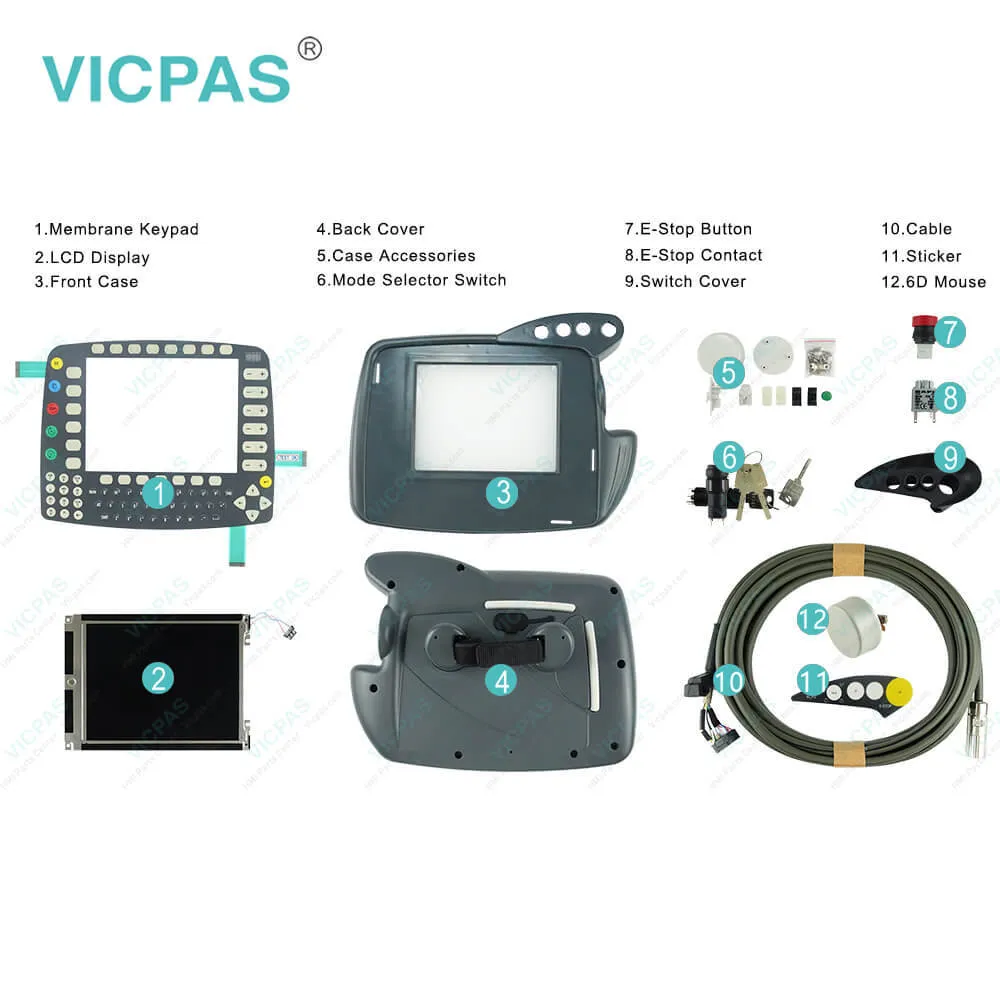
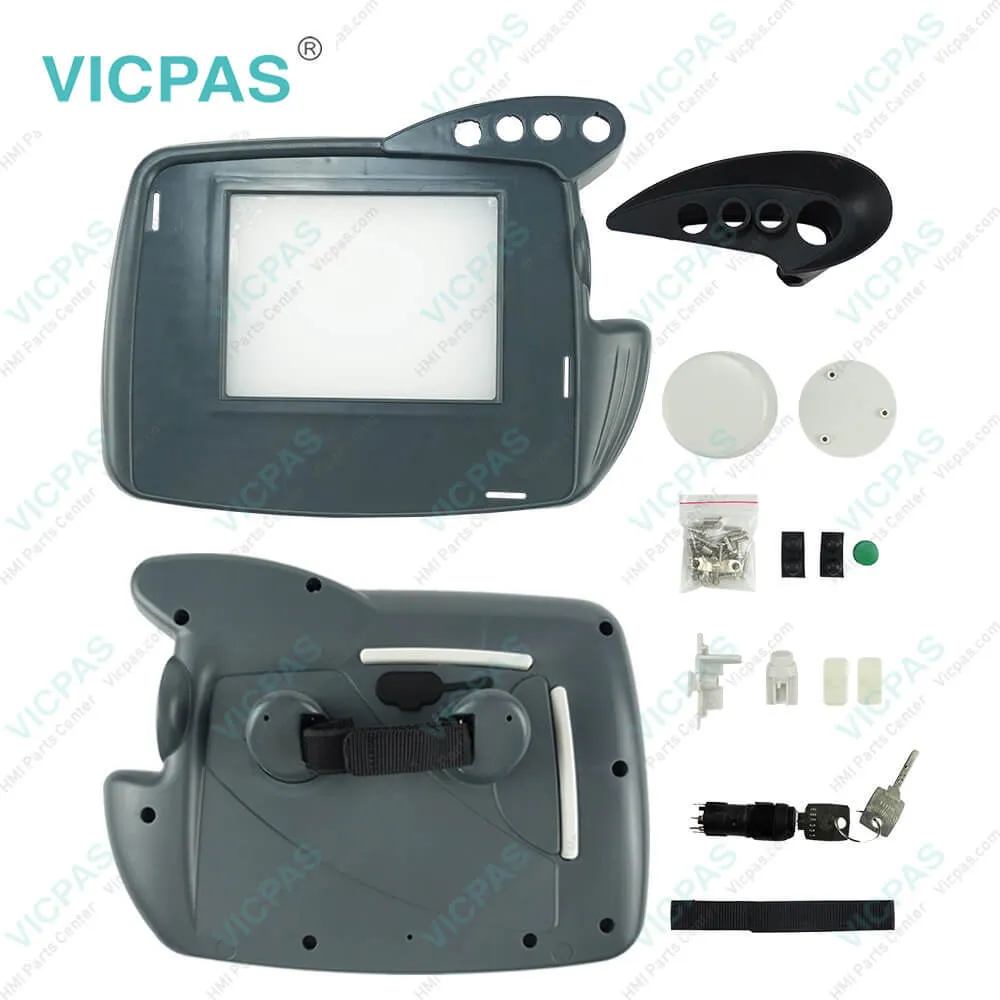
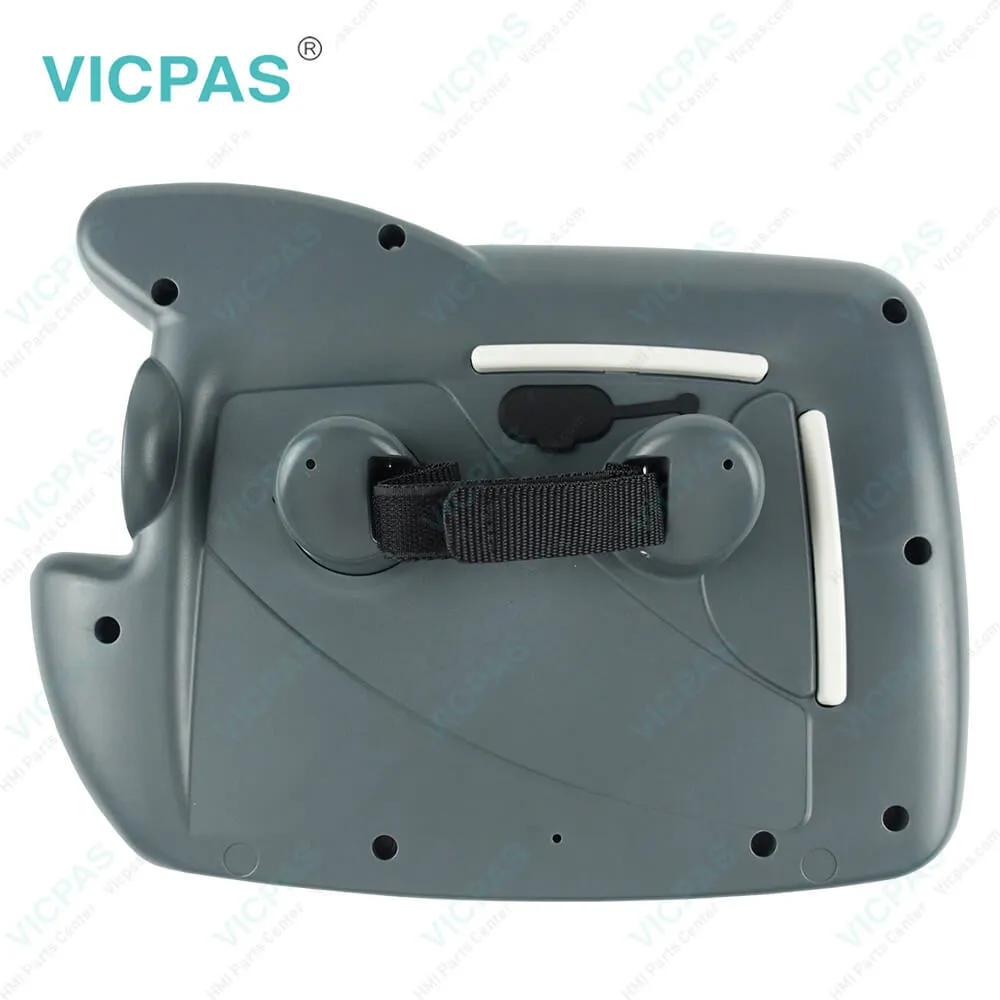
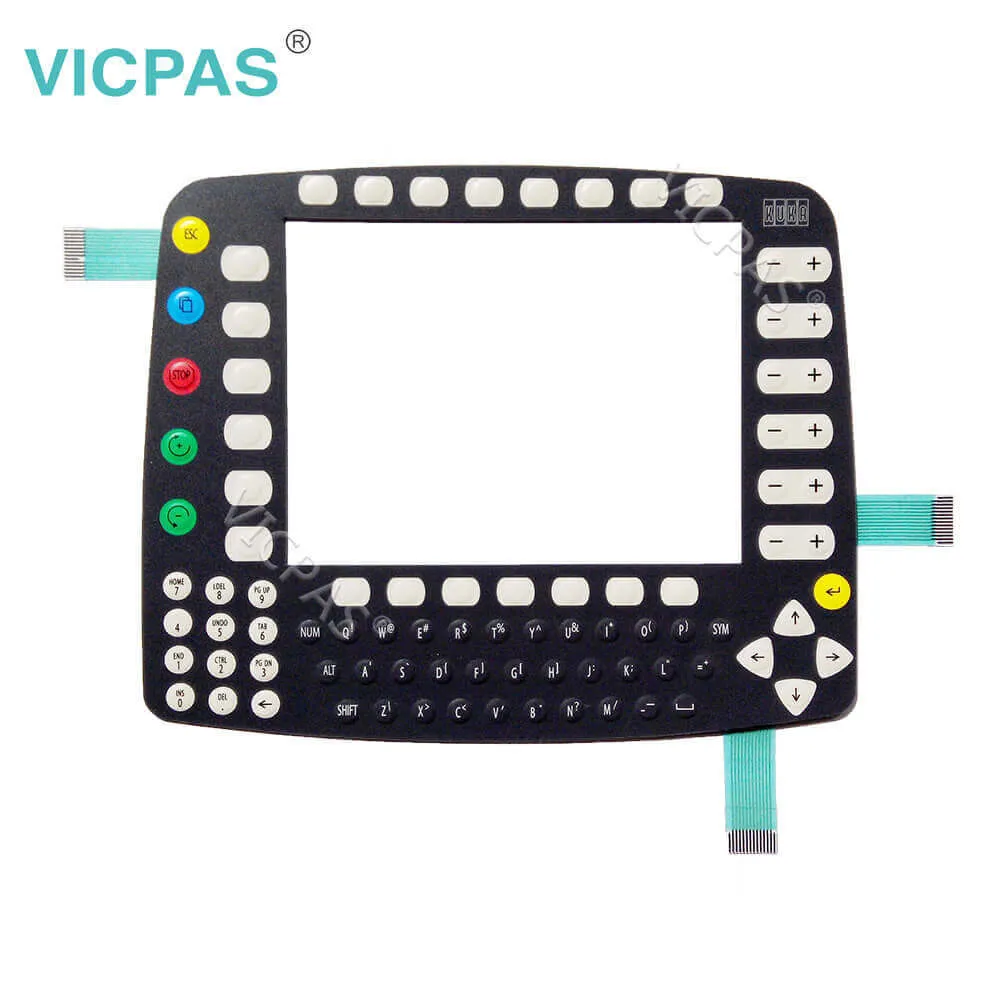
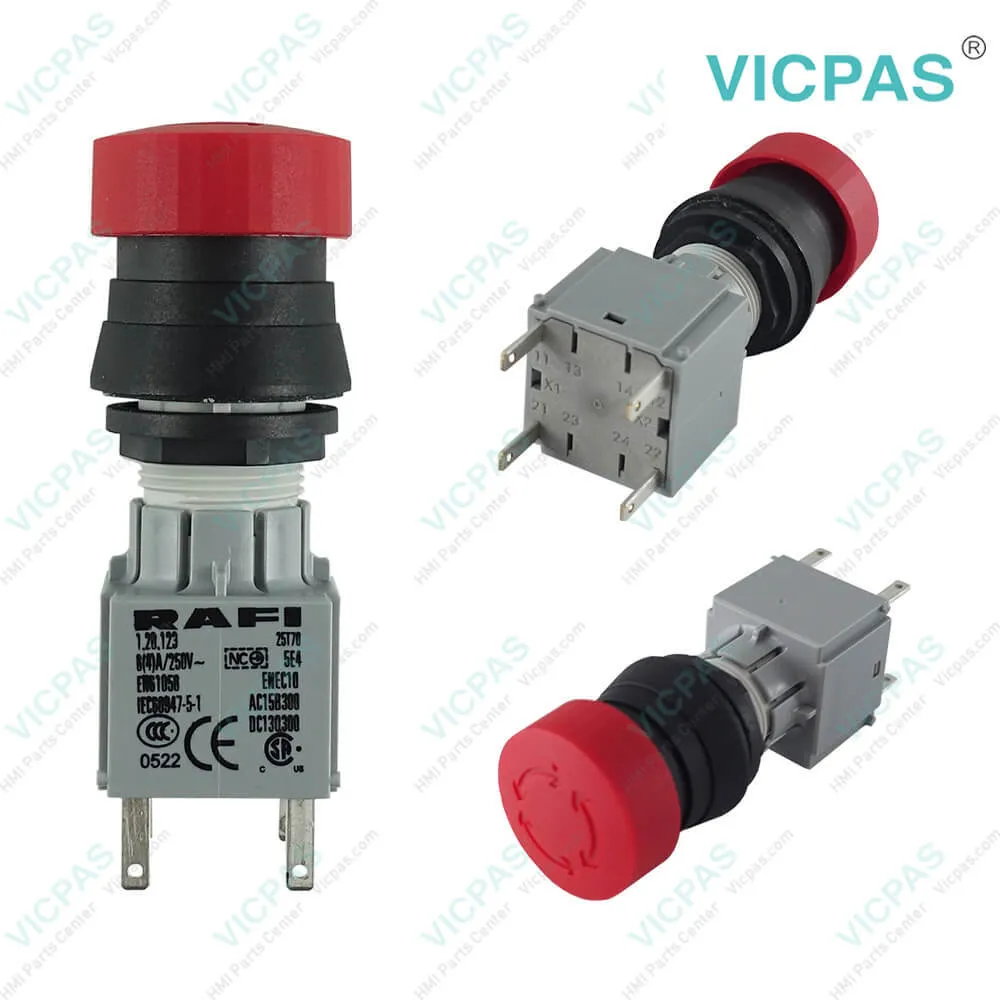
Supply KUKA Krc1 69-000-398 64-000-348 teach pendant Parts, LCD Display Panel, Front Case, Back Cover, Cable, E-Stop Contact, Membrane Keypad, E-Stop Button, Case Accessories, Switch Cover, Sticker, 6D Mouse and Mode Selector Switch Replacement

The Kuka Krc1 69-000-398 Kuka Krc1 64-000-348 Mode Selector Switch,Front Case, Membrane Keyboard, Emergency Stop Button, Back Cover, E-Stop Contact, Switch Cover, Cable, Case Accessories, 6D Mouse, Sticker and LCD Screen are Kuka SmartsPAD Controller repair, make your kuku krc1 teach pendant normal operation.
The KUKA Control Panel (KCP) is used for teaching and operating the robot controller KR C1A. The keyboard and status data are transferred via a standard CAN bus to the PC.
The display information is transferred serially via a separate high--speed interface.
The KCP features an 8--inch full--graphics color display (VGA resolution 640x480), a membrane keyboard, a 6D mouse and the control elements EMERGENCY STOP, Drives ON/ OFF, mode selector switch and enabling switches.
It is also possible to connect an MF II keyboard to the KCP via a DIN connector on the backof the KCP.
The Ethernet connection allows data to be archived on a PC.


Specifications:


Related BB Teach Pendant Part No. :

KUKA Krc1 69-000-398 ControllerDescription Inventory status
KUKA KRC4 00-216-801 00-189-002KUKA Krc4 Kit Repair PartsIn Stock
KUKA KRC4 6D MouseKUKA Krc4 6D MouseAvailable Now
KUKA KRC4 AMT9552KUKA Krc4 Touchscreen RepairIn Stock
KUKA KRC4 Mode Selector SwitchKrc4 Mode Selector Switch RepairAvailable Now
KRC4 RAFIX 22 FS+ 1.30.273.501/0300KUKA Krc4 E-Stop Switch RepairIn Stock
KUKA KRC4 Rubber Protective CoverKrc4 Rubber Protective Cover RepairAvailable Now
KUKA KRC4 Touch PenKUKA Krc4 Touch Pen ReplacementIn Stock
KUKA KRC5 00-291-556 SMARTPAD-2Cable for KUKA Krc5 ReplacementAvailable Now
KUKA KRC5 00-320-102KUKA Krc5 Cable RepairIn Stock
KRC5 00-320-104 SMARTPAD-2KUKA Krc5 Cable 10m ReplacementAvailable Now
KUKA KRC5 6D Mouse6D Mouse for Krc5In Stock
KUKA KRC5 Mode Selector SwitchCable for KUKA Krc5 replacementIn Stock
KUKA Smartpad ControllerKrc1 Krc2 Krc4 Kit RepairIn Stock
LM8V302LCD for Krc1 Krc2 ReplacementIn Stock
NEW! KUKA KRC4 CKKUKA Krc4 Kit ReplacementIn Stock
KUKA KRC4 00-216-801 00-189-002KUKA Krc4 Kit Repair PartsIn Stock
KUKA KRC4 6D MouseKUKA Krc4 6D MouseAvailable Now
KUKA KRC4 AMT9552KUKA Krc4 Touchscreen RepairIn Stock
KUKA KRC4 Mode Selector SwitchKrc4 Mode Selector Switch RepairAvailable Now
KRC4 RAFIX 22 FS+ 1.30.273.501/0300KUKA Krc4 E-Stop Switch RepairIn Stock
KUKA KRC4 Rubber Protective CoverKrc4 Rubber Protective Cover RepairAvailable Now
KUKA KRC4 Touch PenKUKA Krc4 Touch Pen ReplacementIn Stock
KUKA KRC5 00-291-556 SMARTPAD-2Cable for KUKA Krc5 ReplacementAvailable Now
KUKA KRC5 00-320-102KUKA Krc5 Cable RepairIn Stock
KRC5 00-320-104 SMARTPAD-2KUKA Krc5 Cable 10m ReplacementAvailable Now
KUKA KRC5 6D Mouse6D Mouse for Krc5In Stock
KUKA KRC5 Mode Selector SwitchCable for KUKA Krc5 replacementIn Stock
KUKA Smartpad ControllerKrc1 Krc2 Krc4 Kit RepairIn Stock
LM8V302LCD for Krc1 Krc2 ReplacementIn Stock
NEW! KUKA KRC4 CKKUKA Krc4 Kit ReplacementIn Stock

KUKA Krc1 Teach Pendant 69-000-398 64-000-348 Panel Parts PDF Download:
  • KUKA SmartPAD
  • KUKA SmartPAD
  • KUKA SmartPAD
  • KUKA SmartPAD
  • KUKA System Software 8.3 Operating and Programming Instructions for End Users
  • KR C1 Hardware Release 2.2 Manual
  • KRC1 Connection start-up Connection
  • KUKA SmartPAD
  • KUKA SmartPAD
  • KUKA SmartPAD
  • KUKA SmartPAD
  • KUKA System Software 8.3 Operating and Programming Instructions for End Users
  • KR C1 Hardware Release 2.2 Manual
  • KRC1 Connection start-up Connection

  • FAQ:

    Question: How to operate a KUKA KRC1 controller?

    Answer: 1) Generate your KUKA controller programs on the PC and transfer them to the robot. You can set up file sharing in Windows 95 and connect the robot up to your network. One word here -KUKA KRC1 does not allow you to copy programs directly into its active /programs folder. You must copy it somewhere else on the C:, make sure the teach pendant is in expert mode, and copy/paste the programs into the right spot on the teach pendant, because KRC1 needs to feel special about it and compile the program as it pastes in. If you are doing some milling type work then make sure each of these files does not exceed 100k or so in size.2) Use a PLC + DeviceNet or some other supported card in your KRC1 to transfer your position data/command via registers. KRC1 likes registers.3) Just buy a KRC4 robot with the right control comm package and save your sanity.

    Question: What is the KUKA Krc1 teach pendant price of membrane keypad with case(shell), LCD Display?

    Answer: Submit a fast quote, send Kernfix an email for best price.


    Common misspellings:

    Please send your message to us
    *Email
    Mobile Phone
    *Title
    *Content
    Upload
    • Only supports .rar/.zip/.jpg/.png/.gif/.doc/.xls/.pdf, maximum 20MB.
    Do you want to quickly know the product quotation you need?
    • Fast QuoteFast Quote
    • Worldwide ShippingWorldwide Shipping
    • 12 Months Warranty12 Months Warranty
    • Customize ServiceCustomize Service
    subscription
    KEEP IN TOUCH
    Please send your message to us
    *Email
    Mobile Phone
    *Title
    *Content
    Upload
    • Only supports .rar/.zip/.jpg/.png/.gif/.doc/.xls/.pdf, maximum 20MB.
    CONTACT US
    QR code
    Mobile Web
    1.475898s