



Grideal.com-Leading global industrial mall.
Quick Service for Full HMI Parts Replacement
Touchscreen-Keypad-Display-Case & More Search 80000 Inventory
user photo
Account
Login
Cart
0
Home / All / Schneider / Schneider Keyboard / Membrane keypad for XBT-N400 membrane keyboard switch
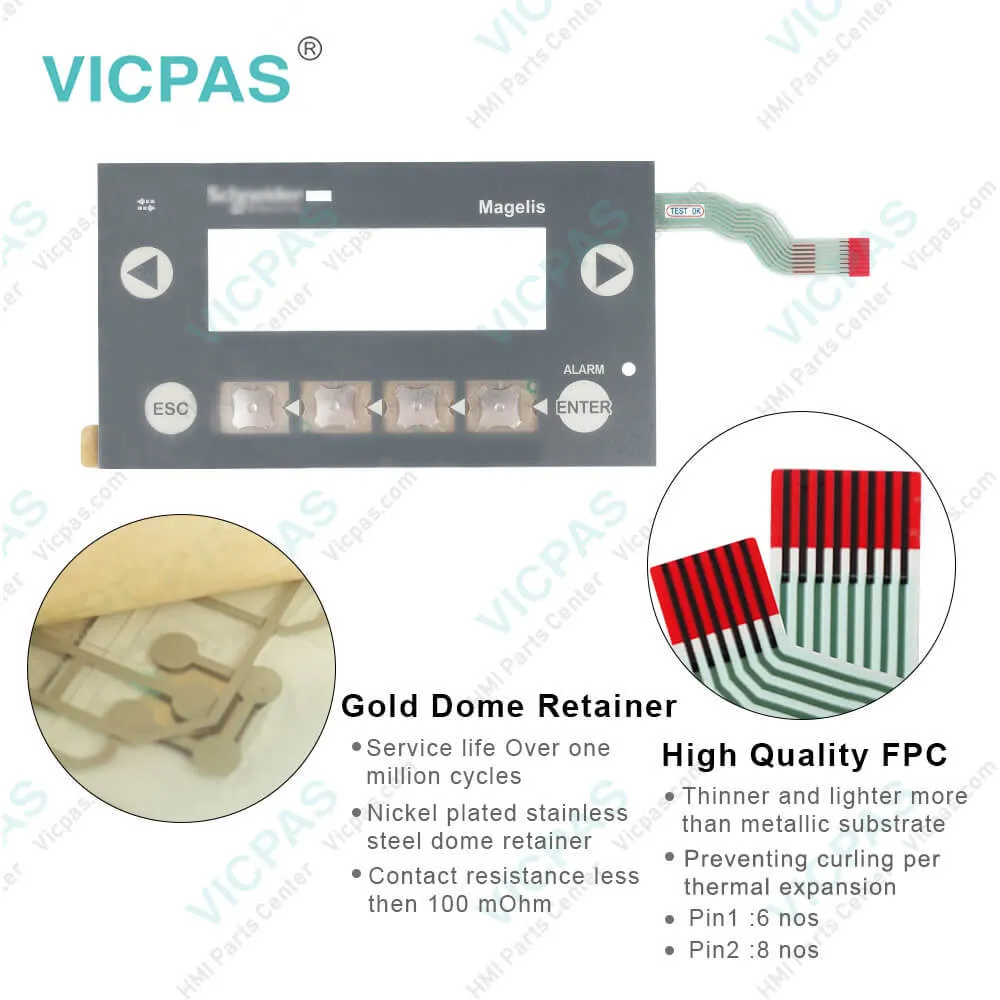
Membrane keypad for XBT-N400 membrane keyboard switch
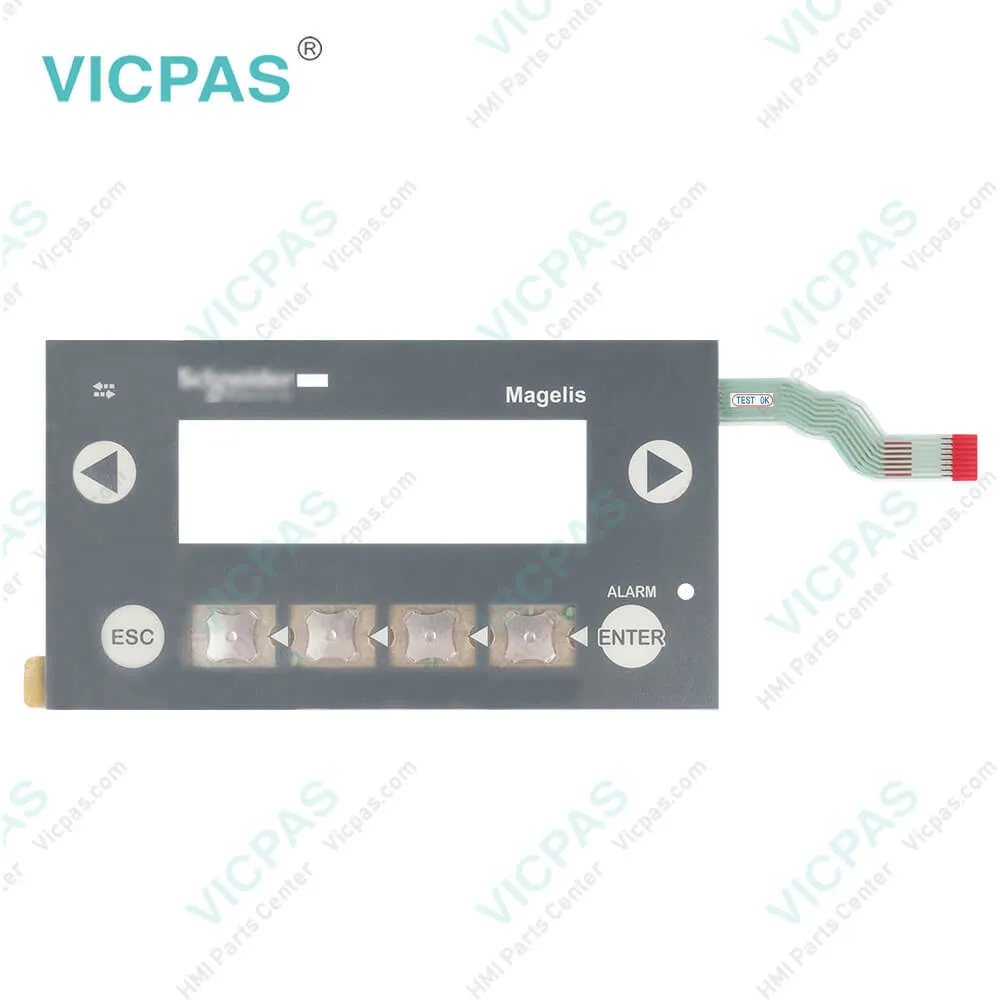
Membrane keypad for XBT-N400 membrane keyboard switch
Membrane keypad for XBT-N400 membrane keyboard switchMembrane keypad for XBT-N400 membrane keyboard switch
BrandSCHNEIDER
ModelXBT-N400
Terms of PaymentWestern Union, T/T, PayPal, T/T ,Credit Card, Western Union
Download
Update Time2026-02-04 03:14:53
Leading Time{{selectedConditionObj.leading}}
{{item.value}}
{{nameObj.name}}{{nameObj.selectedValue}}
{{valueObj.name}}

Shipping

Free Shipping

Those shipping costs are only estimates, the actual shipping cost will be shown on the order page.

Detail Information

Schneider Magelis HMI XBTN400 Membrane Keypad Switch Repair Kit


Magelis Schneider HMI XBTN400 Membrane Keyboard Keypad Repair Kit

Kernfix supply XBTN400 Schneider Magelis Membrane Keypad Switch with 365 Days warranty and support Urgent Worldwide Shipping.


The front panels of the Schneider XBTN400 Membrane Keypad terminals include 2 types of keys:
1. Service keys
Service keys provide different actions to the operator, like scrolling within the display of the XBTN400 Keyboard Membrane terminal, selecting the panel to be displayed as well as selecting objects or entering values in the panel shown on the XBTN400 Membrane Keypad Keyboard terminal display.
2. Function keys
Function keys are individually configured by the XBTN400 Terminal keypad HMI designer who created the HMI application of the XBTN400 Keypad Membrane terminal using the Vijeo-Designer Lite software. 2 different types of function keys are available:
1) static function keys: Static function keys are assigned a constant function (like selecting the panel to be displayed or executing commands) for the entire XBTN400 Membrane Keypad Switch HMI application.
2) dynamic function keys: Dynamic function keys can be assigned different functions (like selecting the panel to be displayed, setting/resetting bits or executing commands) by the XBTN400 Membrane Keybaord HMI designer, depending on the actually displayed panel.


Specifications:

Part Number:XBTN400
Display device:Green backlit LCD
Data Entry:Via keypad with 8 keys
Warranty:365 Days Warranty
Material:Polyester or Polycarbonate
Rated Voltage:DC 5V 1mA
Operating Temp.:-10℃~+80℃
Storage Temp.:-20℃~+70℃
Conductive Trace:Silver or Copper
Life Cycle:5 Million Cycles(up to)


Related BB Teach Pendant Part No. :

XBT-N400Description Inventory status
XBTN200Schneider Mgelis XBT N Operator Keyboard RepairIn Stock
XBTN400Schneider Mgelis XBT N Membrane Keypad KeyboardIn Stock
XBTN401Magelis HMI XBT N Schneider Keyboard Membrane ReplacementAvailable Now
XBTN410Magelis Schneider XBT N Switch Membrane RepairIn Stock
XBTNREQ3841G3XBT N Schneider Magelis HMI Terminal KeypadAvailable Now
XBTNU400Schneider Magelis XBT N Keyboard Membrane RepairIn Stock
XBTPREQ3675G1Schneider Terminals Membrane Keypad KeyboardIn Stock
XBTR400Schneider Magelis XBT R Switch Membrane RepairIn Stock
XBTR410Schneider XBT R Membrane Keypad ReplacementAvailable Now
XBTR411Magelis Schneider XBT R HMI Switch Membrane RepairAvailable Now
XBTRT500Magelis XBT RT Keyboard Membrane ReplacementIn Stock
XBTRT511Schneider Magelis XBT RT HMI Switch Membrane RepairAvailable Now

Membrane keypad for XBT-N400 membrane keyboard switch PDF Download:

  • For Schneider Membrane Keyboard Repair
  • For Schneider Membrane Keyboard Repair
  • For Schneider Membrane Keyboard Repair
  • Schneider MAGELiS® Operator Terminals Guide
  • Schneider MAGELiSä XBT Operator Interface Brochure
  • Magelis™ XBTN and XBTR Small Panels PDF
  • Schneider Magelis_XBTN_XBTNU400 Product Datasheet
  • Magelis Schneider XBT N_R_RT Compact Display Units User Manual

  • FAQ:

    Question: What is the XBTN400 Magelis Schneider Membrane Keypad Switch HMI price?

    Answer: Submit a fast quote, send Kernfix an email for best price.

    Question: How to connect Magelis Schneider Terminal XBT N200 / N400 / R400 to a PC?

    Answer: XBT N200 / N400 and R400 terminals can be connected to a PC in 2 different ways:


    Common misspellings:

    XBN400

    BTN400

    XBTN040

    X8TN400

    XBTN4000

    Please send your message to us
    *Email
    Mobile Phone
    *Title
    *Content
    Upload
    • Only supports .rar/.zip/.jpg/.png/.gif/.doc/.xls/.pdf, maximum 20MB.
    Do you want to quickly know the product quotation you need?
    • Fast QuoteFast Quote
    • Worldwide ShippingWorldwide Shipping
    • 12 Months Warranty12 Months Warranty
    • Customize ServiceCustomize Service
    subscription
    KEEP IN TOUCH
    Please send your message to us
    *Email
    Mobile Phone
    *Title
    *Content
    Upload
    • Only supports .rar/.zip/.jpg/.png/.gif/.doc/.xls/.pdf, maximum 20MB.
    CONTACT US
    QR code
    Mobile Web
    2.146888s