Grideal.com-Leading global industrial mall.
Quick Service for Full HMI Parts Replacement
Touchscreen-Keypad-Display-Case & More Search 80000 Inventory
user photo
Account
Login
Cart
0
Home / All / HMI Touch Screen Panel / FT-AS00-12.1A MMI Touch Screen Monitor Replacement
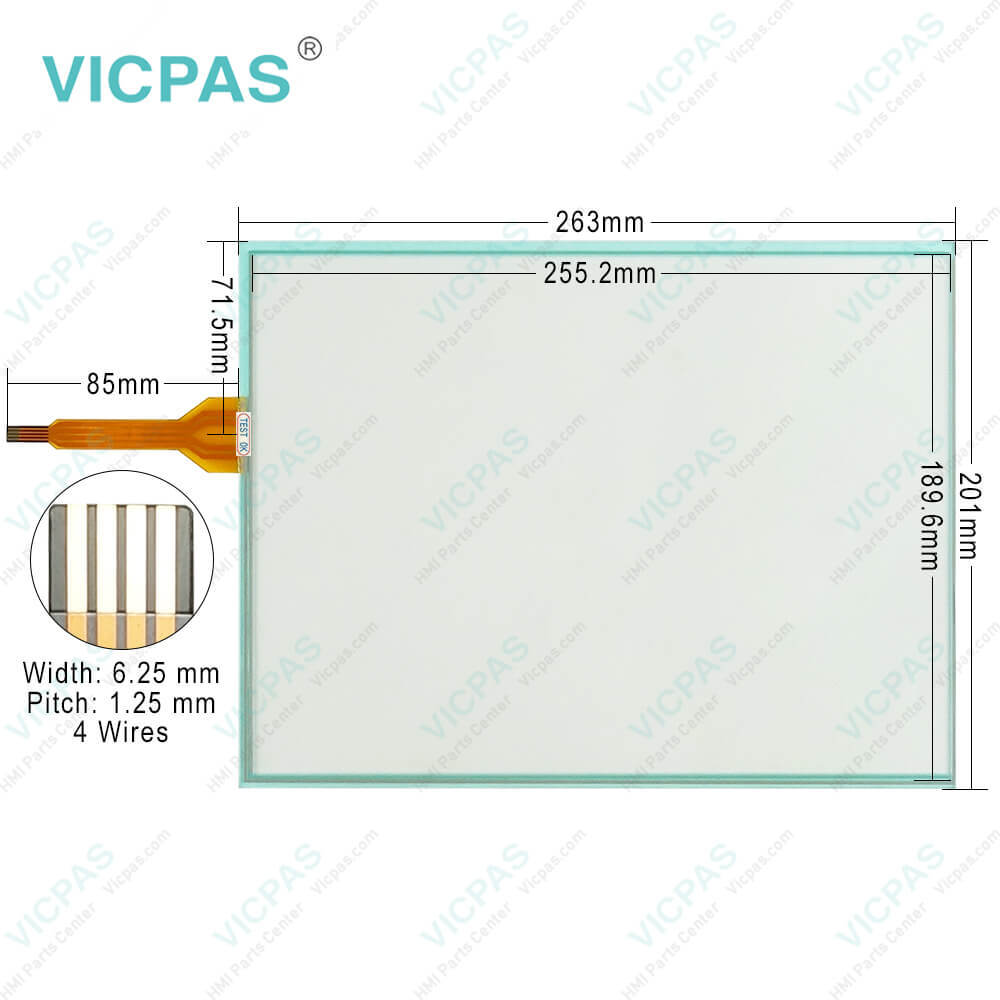
FT-AS00-12.1A MMI Touch Screen Monitor Replacement
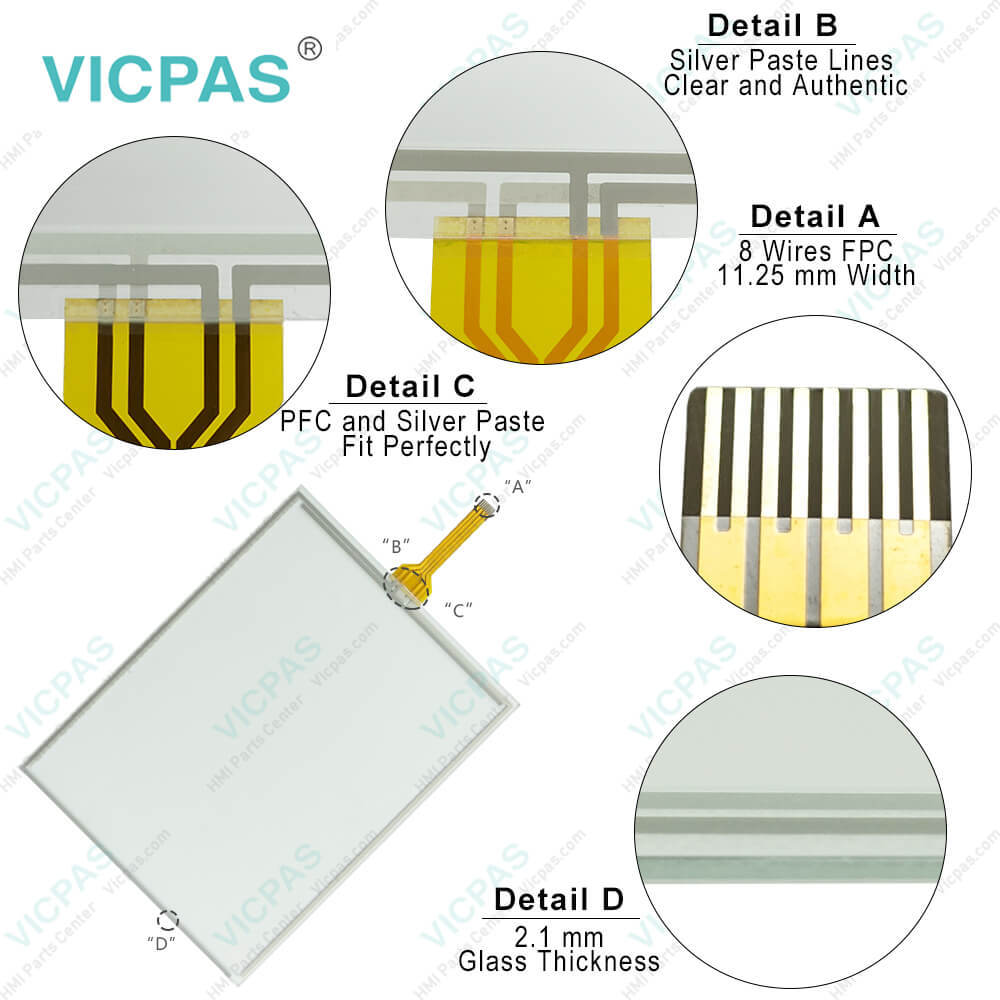
FT-AS00-12.1A MMI Touch Screen Monitor Replacement
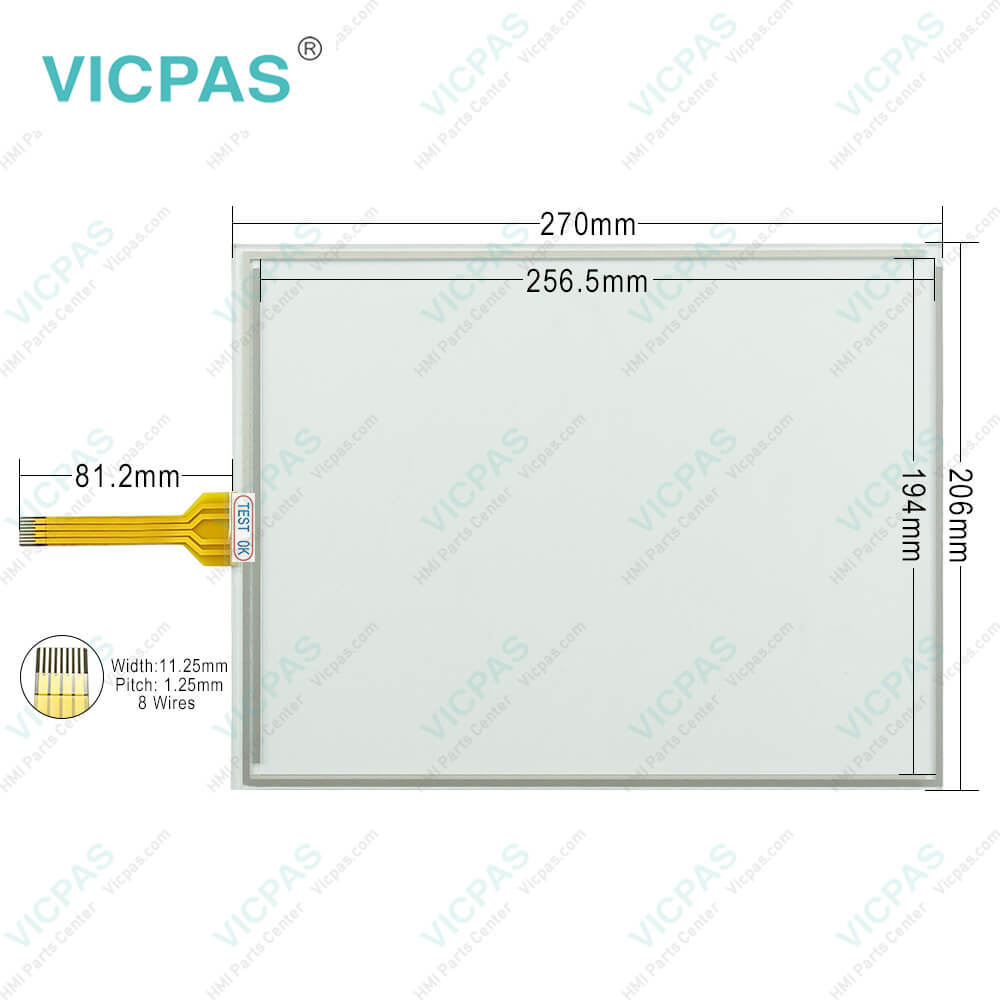
FT-AS00-12.1A MMI Touch Screen Monitor ReplacementFT-AS00-12.1A MMI Touch Screen Monitor ReplacementFT-AS00-12.1A MMI Touch Screen Monitor ReplacementFT-AS00-12.1A MMI Touch Screen Monitor ReplacementFT-AS00-12.1A MMI Touch Screen Monitor Replacement
CategoriesHMI Touch Screen Panel
BrandVICPAS
ModelFT-AS00-12.1A
Warranty365 Days
Supply partsTouch Membrane
Shipping2-4 workdays
FOB portGuangzhou, Shenzhen, Hongkong
Terms of PaymentWestern Union, MoneyGram, T/T, Paypal, PayPal, T/T ,Credit Card, Western Union
Download
Update Time2026-02-05 17:29:36
Leading Time{{selectedConditionObj.leading}}
{{item.value}}
{{nameObj.name}}{{nameObj.selectedValue}}
{{valueObj.name}}

Shipping

Free Shipping

Those shipping costs are only estimates, the actual shipping cost will be shown on the order page.

Detail Information

FT-AS00-12.1A HMI Touch Screen Glass Replacement

Order each part separately is available

FT-AS00-12.1A Touch Digitizer Glass for repair replacement

Mounting

Place the FT-AS00-12.1A Touch Screen Glass in a panet cut-out and fasten with the attached mounting clips at four places uniformly. Do not tighten excessively, otherwise it may be defommed or damaged. When installing the FT-AS00-12.1A Touch Membrane vertically, make sure that the power input terminal is on the upper side. If the mounting clips are tightened obliquely to the panel, it may fall off the panel. Please attach this product to press down FT-AS00-12.1A Touch Digitizer Glass in the portion of the mountain of gasket. Once removing especially in the attaching again, be careful. There is a possibility that it may become impossible to maintain waterproof ability.


Notes for Operation

The screen becomes blank when the backlight is burnt out; however, the FT-AS00-12.1A Touchscreen remains enabled. Incorrect touch panel operation will occur when operating the touch panel when the backlight appears to be turned off but is actually burnt out. Please note that this erroneous operation may result in damage. At temperatures over the rated operating temperature, the clock accuracy is affected. Adjust the clock before use. For applications which require clock accuracy, adjust the clock periodically. When more than one button is pressed at the same time, due to the detection characteristics of FT-AS00-12.1A Touch Panel, only the gravity center of the pressed area is sensed and the unit assumes that only one button is pressed. Thus, when more than one button is pressed simultaneously, the resulting operation is not guaranteed.


Specifications:

Operating Humidity:10 to 90% RH
Operating Temperature:-20 ~ 60°C
Display Type:TFT Color
Storage Temperature:-20 ~ 70°C
Brand:Vicpas
Model Number:FT-AS00-12.1A
Display Size:12.1"
Warranty:1-Year Warranty
Screen Type:Analog Resistive Film
Corrosion Immunity:Free from corrosive gases


FT-AS00-12.1A MMI Touch Screen Monitor Replacement PDF Download:
  • IDEC-HG4G-3G-2G-V-Instruction-Sheet
  • IDEC-HMI-Selection-Guide
  • IDEC-Data-File-Manager-Users-Manual

  • FAQ:

    Question: Can I connect external devices to the FT-AS00-12.1A Machine?

    Answer: Yes, the FT-AS00-12.1A HMIs typically offer various communication ports, such as Ethernet, USB, RS232, or RS485. These ports allow you to connect external devices, such as PLCs, sensors, or other control equipment, for data exchange and system integration.

    Question: How do I calibrate the touch screen on the FT-AS00-12.1A HMI?

    Answer: To calibrate the touch panel of FT-AS00-12.1A, go to the calibration settings in the HMI menu. Follow the on-screen instructions to touch specific calibration points accurately. This process ensures accurate touch input across the screen.


    Common misspellings:

    T-AS00-12.1A

    F-AS00-12.1A

    FT-AS00-121A

    FTA-S00-12.1A

    FT-AS00-1.21A

    Please send your message to us
    *Email
    Mobile Phone
    *Title
    *Content
    Upload
    • Only supports .rar/.zip/.jpg/.png/.gif/.doc/.xls/.pdf, maximum 20MB.
    Do you want to quickly know the product quotation you need?
    • Fast QuoteFast Quote
    • Worldwide ShippingWorldwide Shipping
    • 12 Months Warranty12 Months Warranty
    • Customize ServiceCustomize Service
    subscription
    KEEP IN TOUCH
    Please send your message to us
    *Email
    Mobile Phone
    *Title
    *Content
    Upload
    • Only supports .rar/.zip/.jpg/.png/.gif/.doc/.xls/.pdf, maximum 20MB.
    CONTACT US
    QR code
    Mobile Web
    1.395856s