



Grideal.com-Leading global industrial mall.
Quick Service for Full HMI Parts Replacement
Touchscreen-Keypad-Display-Case & More Search 80000 Inventory
user photo
Account
Login
Cart
0

2711P-B15C4A7

2711P-B15C4A7
2711P-B15C4A72711P-B15C4A72711P-B15C4A72711P-B15C4A72711P-B15C4A7
CategoriesAllen Bradley
BrandAllen Bradley
Model2711P-B15C4A7
Warranty365 Days
Product LinePanelview Plus 1500
SupplyPanelview Plus 1500 Terminals Membrane keypad
PartsTouchscreen Panel Glass Keypad Membrane
Terms of PaymentWestern Union, MoneyGram, T/T, Paypal, PayPal, Credit Card
Download
Update Time2026-02-09 15:48:35
Leading Time{{selectedConditionObj.leading}}
{{item.value}}
{{nameObj.name}}{{nameObj.selectedValue}}
{{valueObj.name}}

Shipping

Free Shipping

Those shipping costs are only estimates, the actual shipping cost will be shown on the order page.

Detail Information

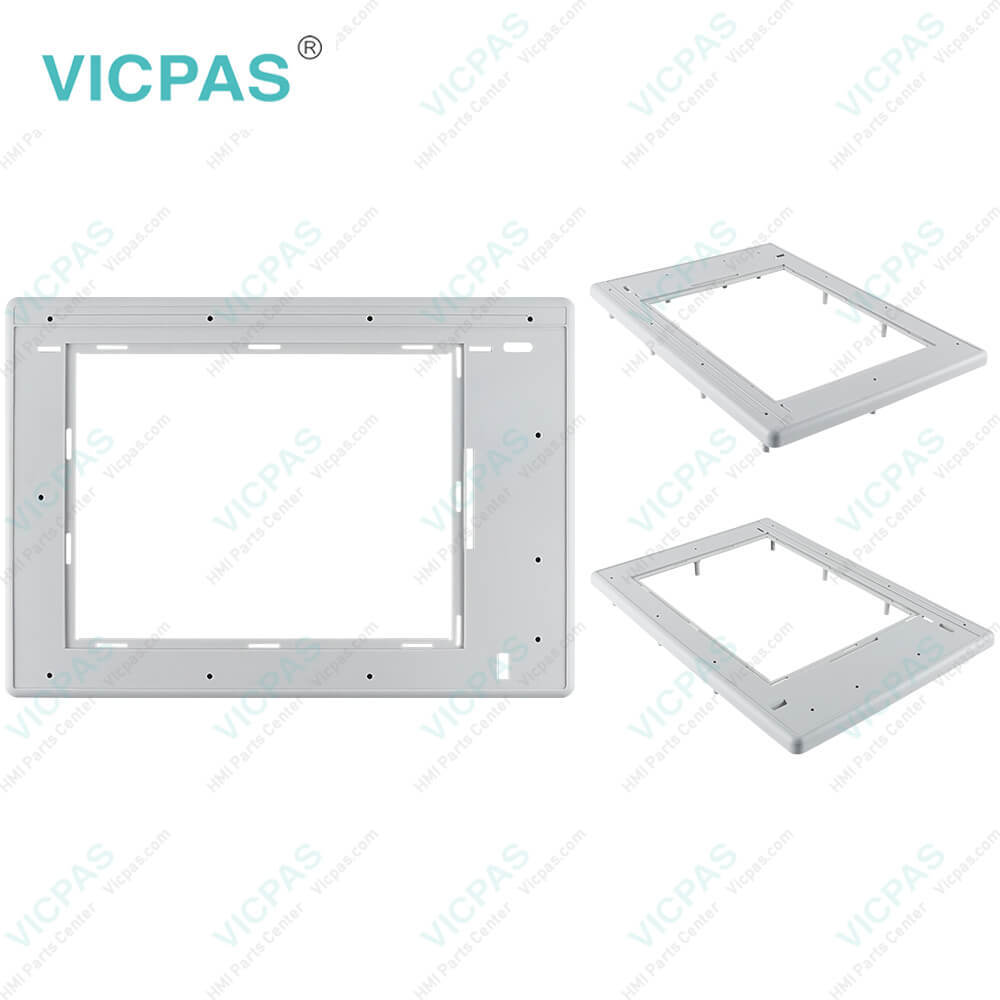
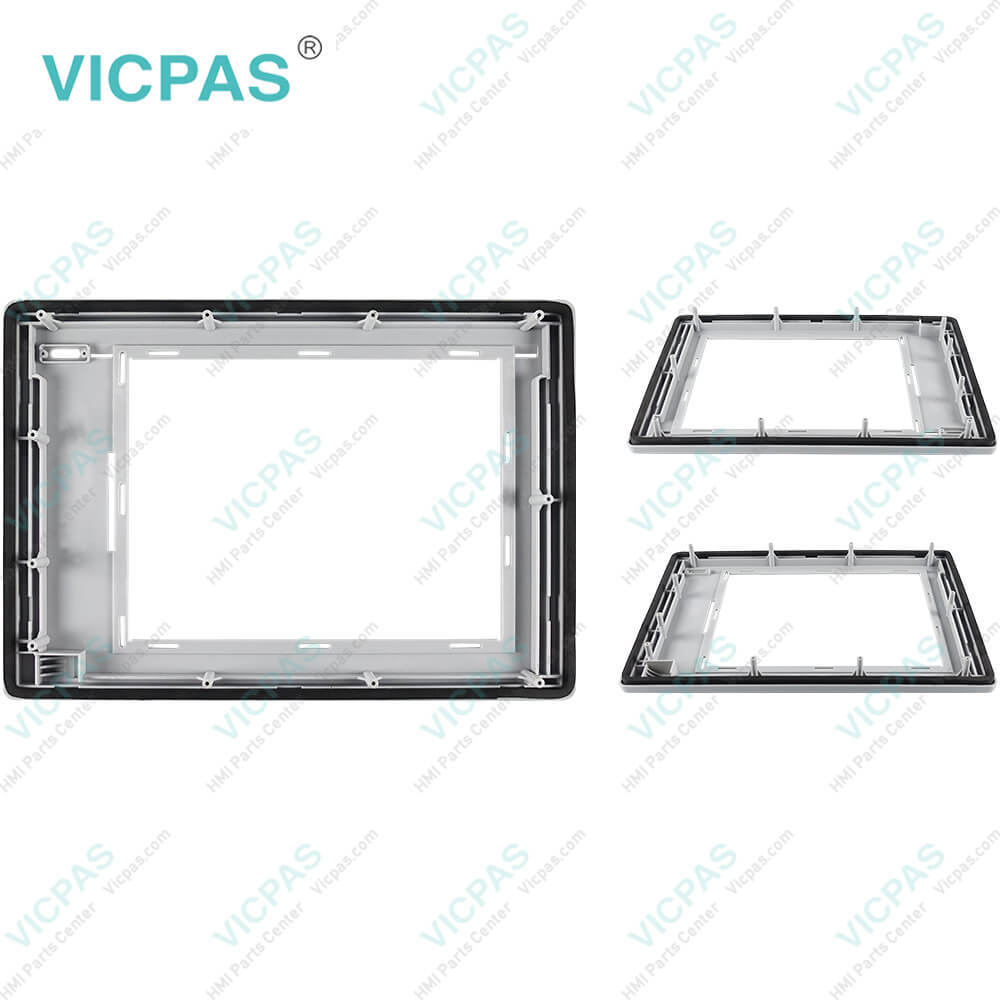
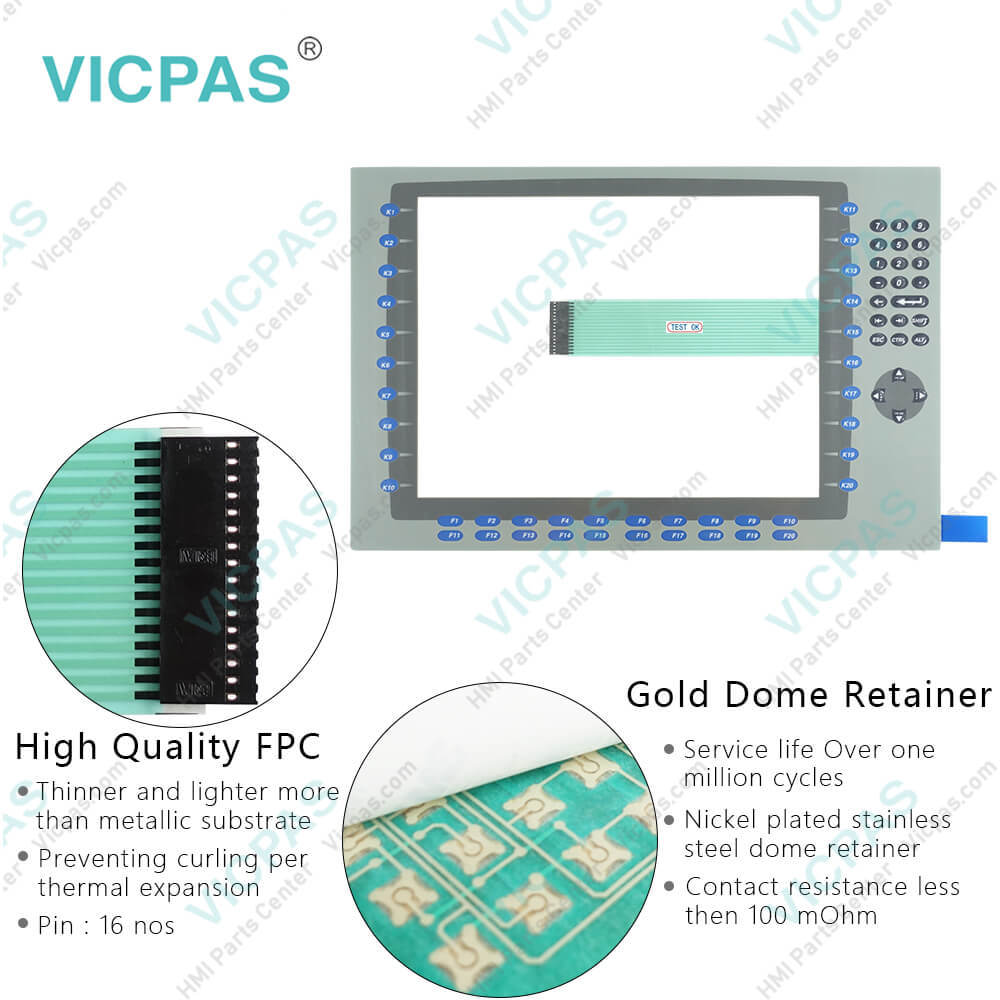
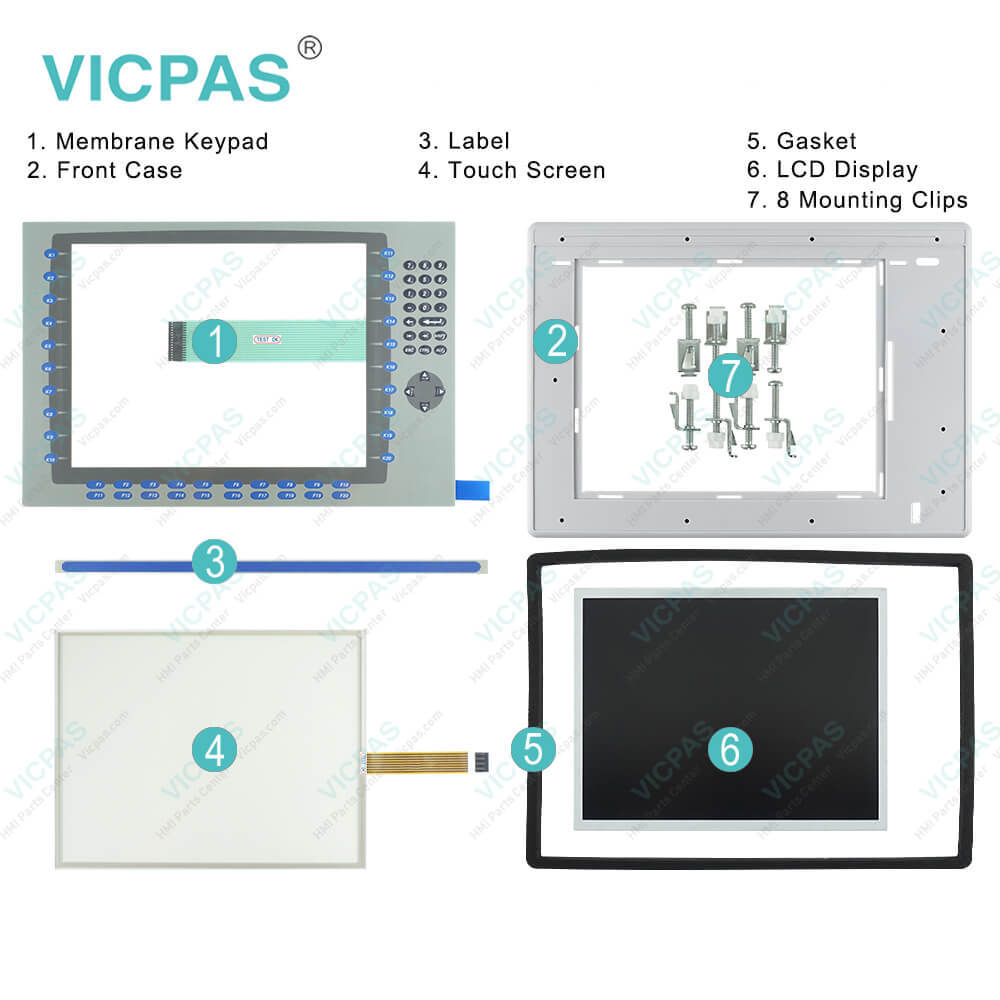
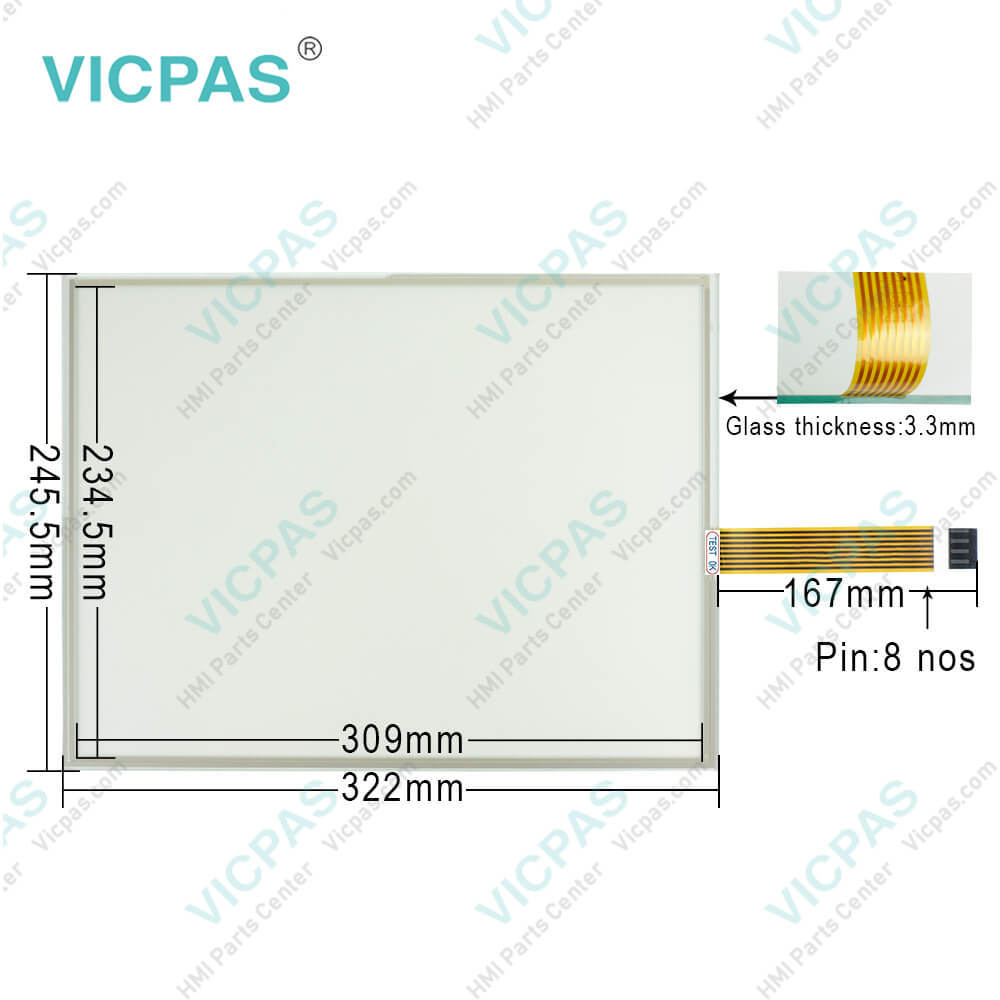
2711P-B15C4A7 Panelview Plus 1500 Touch Screen Panel, Membrane Keypad Switch, Label, LCD Display Screen, Plastic Cover, Gasket and Mounting Clips Repair Replacement

Order each part separately is available

2711P-B15C4A7 Panelview Plus 1500 Membrane keypad switch, Touch Screen Glass, Label, Plastic Cover Body, LCD Screen, Gasket and Mounting Clips Repair Replacement


The Allen-Bradley 2711P-B15C4A7 is a module that provides the users with an easy time controlling and monitoring the applications. The drive offers a wide range of features like premier integration and integrated architecture, the standard development software, and a scalable 4 to 15-inch display with a touchscreen, keyboard, or both. The 2711P-B15C4A7 is c-UL-us, CE, and C-TICK certified, and it weighs approximately 4.6 kilograms, with total shipping dimensions of 330 x 469 x 65 millimeters.


The Allen-Bradley 2711P-B15C4A7 is a Panelview Plus 1500 Touchscreen/Keypad Operating Panel. It is built to provide an operator with a clear insight of an industrial automation process over a 15-inch TFT color display. This terminal has an ergonomic keypad with numerous function keys, which offer automation engineers a large amount of space to include all the quick acting functions needed for the process to be operated flawlessly. Application developers can design graphics with great details on a display with a 1024 x 768 pixels resolution.


The 2711P-B15C4A7 measures 469 millimeters in width, 330 millimeters in height, and 93 millimeters in depth. The input AC voltage can be in a range from 85 to 264 Volts AC and the device has a graphic color display with a keypad and a resistive touchscreen. The touchscreen can be operated using a stylus and also while wearing gloves. The keypad has various keys which include function keys from F1 to F20 and K1 to K20. It also has navigation arrow keys for moving the cursor on the screen and to select the objects.


Built with modular components, the 2711P-B15C4A7 makes installation and configuration quick and easy. The common features and firmware that it shares with newer models make migration possible. This cuts back on system costs, allowing upgrades instead of replacing an entire system component. The 2711P-B15C4A7 is a PanelView Plus 1500 series of industrial display computers from Allen Bradley. The 2711P-B15C4A7 is a 15-inch color display with a keypad and touch with Ethernet, RS232 and USB ports. The display is designed for use in a Pollution Degree 2 industrial environment.


Specifications:

Part Number:2711P-B15C4A7
Display Size:15 inches
Display Color:Amber
Warranty:365 days Warranty
Product Line:Panelview Plus 1500
Input Type:Touchscreen Keypad
Mounting Position:vertical
Communication:ControlNet
Software:FactoryTalk


Related BB Teach Pendant Part No. :

2711P-B15C4A7Description Inventory status
2711P-B15C4A1PanelView Plus 1500 Membrane Keypad Touch Screen Panel LCD Display EnclosureIn Stock
2711P-B15C4A2PanelView Plus 1500 Membrane Keyboard Touch Panel Glass LCD Screen Plastic ShellAvailable Now
2711P-B15C4A6PanelView Plus 1500 Keypad Touch Screen Panel LCD Display Plastic Cover BodyIn Stock
2711P-B15C4A7Panel View Plus 1500 Keypad Touch Screen LCD Display Screen Plastic Cover BodyIn Stock
2711P-B15C4B1PanelView Plus 1500 Membrane Keypad Touchscreen LCD Display Plastic CaseIn Stock
2711P-B15C4B2PanelView Plus 1500 Touch Panel Membrane Keyboard Keypad LCD Screen EnclosureIn Stock
2711P-B15C4D1PanelView Plus 1500 Membrane Keyboard HMI Touch Screen LCD Display Plastic ShellAvailable Now
2711P-B15C4D2PanelView Plus 1500 Keypad Touch Screen LCD Screen Plastic Cover BodyIn Stock
2711P-B15C4D6PanelView Plus 1500 Touchscreen Operator Panel Keypad LCD Display HMI CaseAvailable Now
2711P-B15C4D7Panel View Plus 1500 HMI Panel Glass Keypad LCD Screen Plastic Cover BodyIn Stock
2711P-B15C6A1Panel View Plus 1500 Keyboard Keypad Touch Screen LCD Display Plastic CaseIn Stock
2711P-B15C6A2PanelView Plus 1500 Touch Glass Membrane Keypad Switch LCD Screen HousingIn Stock
2711P-B15C6A6PanelView Plus 1500 Touch Screen Monitor Keyboard Keypad LCD Display HMI CaseAvailable Now
2711P-B15C6A7PanelView Plus 1500 Panel Glass Membrane Keyboard LCD Display Plastic CaseIn Stock
2711P-B15C6B1PanelView Plus 1500 Touch Screen Membrane Switch LCD Display Plastic ShellAvailable Now
2711P-B15C4A1PanelView Plus 1500 Membrane Keypad Touch Screen Panel LCD Display EnclosureIn Stock
2711P-B15C4A2PanelView Plus 1500 Membrane Keyboard Touch Panel Glass LCD Screen Plastic ShellAvailable Now
2711P-B15C4A6PanelView Plus 1500 Keypad Touch Screen Panel LCD Display Plastic Cover BodyIn Stock
2711P-B15C4A7Panel View Plus 1500 Keypad Touch Screen LCD Display Screen Plastic Cover BodyIn Stock
2711P-B15C4B1PanelView Plus 1500 Membrane Keypad Touchscreen LCD Display Plastic CaseIn Stock
2711P-B15C4B2PanelView Plus 1500 Touch Panel Membrane Keyboard Keypad LCD Screen EnclosureIn Stock
2711P-B15C4D1PanelView Plus 1500 Membrane Keyboard HMI Touch Screen LCD Display Plastic ShellAvailable Now
2711P-B15C4D2PanelView Plus 1500 Keypad Touch Screen LCD Screen Plastic Cover BodyIn Stock
2711P-B15C4D6PanelView Plus 1500 Touchscreen Operator Panel Keypad LCD Display HMI CaseAvailable Now
2711P-B15C4D7Panel View Plus 1500 HMI Panel Glass Keypad LCD Screen Plastic Cover BodyIn Stock
2711P-B15C6A1Panel View Plus 1500 Keyboard Keypad Touch Screen LCD Display Plastic CaseIn Stock
2711P-B15C6A2PanelView Plus 1500 Touch Glass Membrane Keypad Switch LCD Screen HousingIn Stock
2711P-B15C6A6PanelView Plus 1500 Touch Screen Monitor Keyboard Keypad LCD Display HMI CaseAvailable Now
2711P-B15C6A7PanelView Plus 1500 Panel Glass Membrane Keyboard LCD Display Plastic CaseIn Stock
2711P-B15C6B1PanelView Plus 1500 Touch Screen Membrane Switch LCD Display Plastic ShellAvailable Now

2711P-B15C4A7 PDF Download:

  • PanelView Plus 1500
  • 2711P-B15C4A7 Terminals User Manuals
  • Allen Bradley PanelView Plus 1500 Terminals Operator Panel User Manual
  • panelview plus 1500 battery replacement Installation Instructions
  • PanelView Plus 1500 Terminals and Display Modules
  • PanelView Plus Operator Terminals 1500 dimensions datasheet manual
  • PanelView Plus 1500
  • 2711P-B15C4A7 Terminals User Manuals
  • Allen Bradley PanelView Plus 1500 Terminals Operator Panel User Manual
  • panelview plus 1500 battery replacement Installation Instructions
  • PanelView Plus 1500 Terminals and Display Modules
  • PanelView Plus Operator Terminals 1500 dimensions datasheet manual

  • FAQ:

    Question: How to change the Decimal Separator for Numeric Formats?

    Answer: You can change the decimal separator used in numerics for the current language. The default decimal separator is a period.1. Select Terminal Settings>Time/Date/Regional Settings>Regional Settings>Numeric Format.The field shows the default decimal separator. The field will accept a separator up to three characters.2. Enter up to three characters for the new separator.3. Click OK.

    Question: What steps need to be connectted the terminal 2711P-B15C4A7 to AC power?

    Answer:

    Question: How to isolate problems with the PanelView Plus 1500 2711P-B15C4A7 Keypad?

    Answer: • Check Multi-Key/Hold-Off settings. From Configuration Mode, open Terminal Settings>Keypad>Keypad Settings.Is the Hold-Off Delay longer than expected, or are multiple key presses being held by Multi-Key Lockout? Check all configurable settings.• Check key input by attaching a USB keyboard. If the keyboard works, but the keypad does not, then the keypad driver or keypad is not working. If both the keypad and keyboard are not working, then the problem may be the application.• Replace the Display Module if all other attempts do not resolve problem. If replacing the Display Module corrects the problem, then the keypad was not functioning properly.

    Question: How to enter characters in the PanelView Plus 1500 2711P-B15C4A7 Display Area?

    Answer: 1. Select a character on the Character Keyboard.2. Press the Select button to copy the character to the Display Area.3. When done entering all characters, press Enter. You will return to the previous screen.


    Common misspellings:

    2711PB15C4A7271P-B15C4A72711-B15C4A72711P-Bl5C4A727l1P-B15C4A7271lP-B15C4A72711P-B15CAA72711P-Bl5C4A7

    Please send your message to us
    *Email
    Mobile Phone
    *Title
    *Content
    Upload
    • Only supports .rar/.zip/.jpg/.png/.gif/.doc/.xls/.pdf, maximum 20MB.
    Do you want to quickly know the product quotation you need?
    • Fast QuoteFast Quote
    • Worldwide ShippingWorldwide Shipping
    • 12 Months Warranty12 Months Warranty
    • Customize ServiceCustomize Service
    subscription
    KEEP IN TOUCH
    Please send your message to us
    *Email
    Mobile Phone
    *Title
    *Content
    Upload
    • Only supports .rar/.zip/.jpg/.png/.gif/.doc/.xls/.pdf, maximum 20MB.
    CONTACT US
    QR code
    Mobile Web
    1.516238s