



Grideal.com-Leading global industrial mall.
Quick Service for Full HMI Parts Replacement
Touchscreen-Keypad-Display-Case & More Search 80000 Inventory
user photo
Account
Login
Cart
0
Home / All / IDEC / HG2A, HG2S, FT1A 3.8IN / IDEC HG2A-SS22BF Touch Screen Monitor Repair

IDEC HG2A-SS22BF Touch Screen Monitor Repair
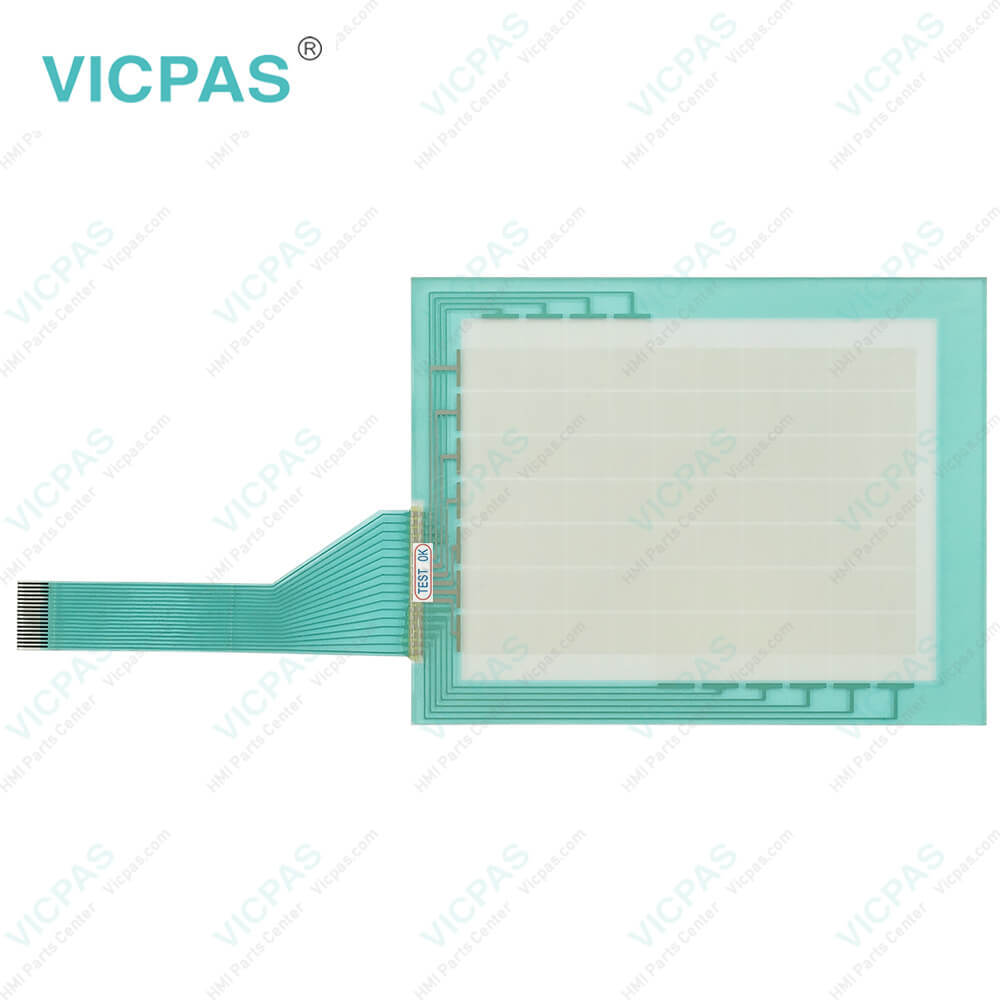
IDEC HG2A-SS22BF Touch Screen Monitor Repair
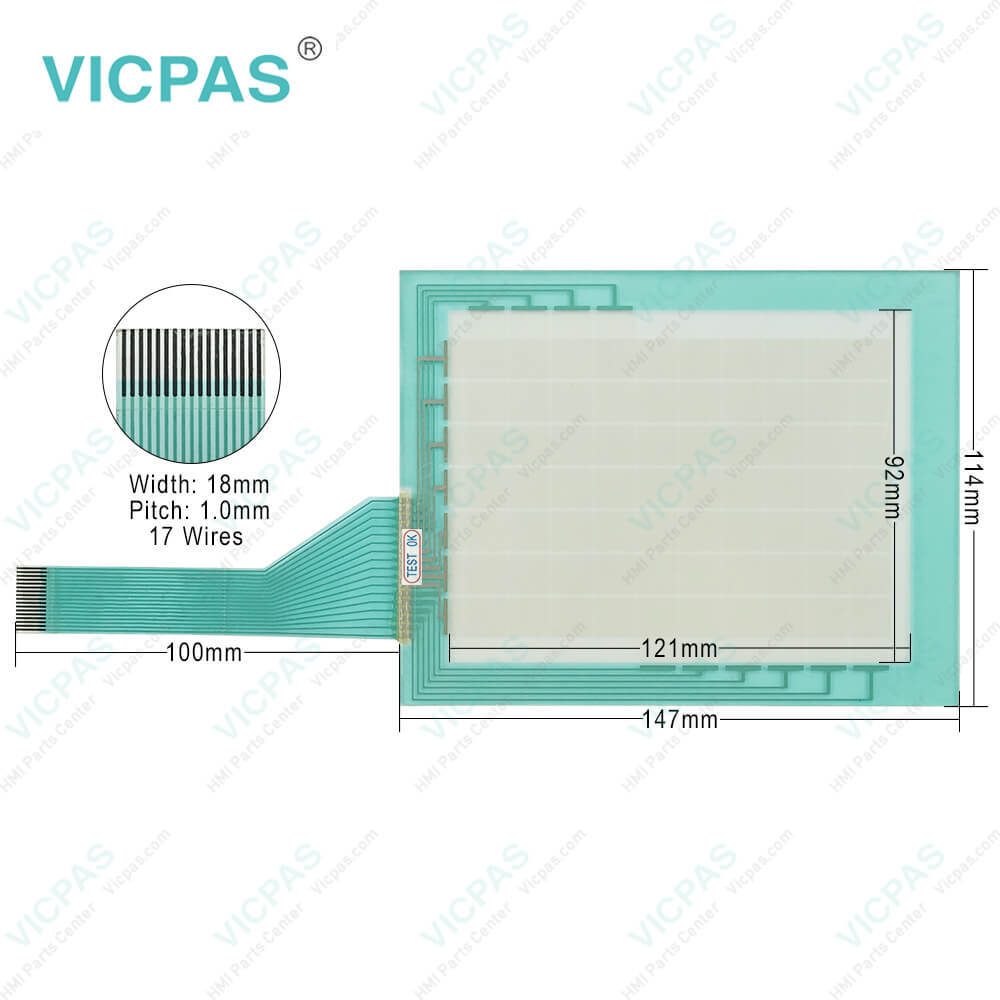
IDEC HG2A-SS22BF Touch Screen Monitor RepairIDEC HG2A-SS22BF Touch Screen Monitor RepairIDEC HG2A-SS22BF Touch Screen Monitor Repair
BrandIDEC
ModelHG2A-SS22BF
Warranty365 Days
Supply partsTouch Screen Display
Shipping2-4 workdays
FOB portGuangzhou, Shenzhen, Hongkong
Terms of PaymentWestern Union, MoneyGram, T/T, Paypal, PayPal, T/T ,Credit Card, Western Union
Download
Update Time2026-01-31 02:00:45
Leading Time{{selectedConditionObj.leading}}
{{item.value}}
{{nameObj.name}}{{nameObj.selectedValue}}
{{valueObj.name}}

Shipping

Free Shipping

Those shipping costs are only estimates, the actual shipping cost will be shown on the order page.

Detail Information

IDEC HG2A Series HG2A-SS22BF HMI Panel Screen Replacement


IDEC HG2A-SS22BF Touch Panel for repair replacement

Maintenance and Inspection of HG2A-SS22BF Touch Screen Display

Maintain and inspect the IDEC HG2A-SS22BF Touch Digitizer Glass periodically to ensure the best performance. Do not disassemble, repair, or modify the HG2A-SS22BF MMI Touch Glass during inspection. Wipe any stain off the display using a soft cloth slightly dampened with neutral detergent or alcoholic solvent. Do not use solvents such as thinner, ammonia, strong acid, and strong alkaline. Check the terminals and connectors to make sure of no loose screws, incomplete insertion or disconnected lines. Make sure that all mounting clips and screws are tightened sufficiently.If the mounting clips are loose, tighten the screw to the recommended tightening torque.


Adjusting the HG2A-SS22BF Touch Panel

A gap may be caused in the operation accuracy of the touch panel by the secular distortion, etc. Readjust the touch panel when there is a gap in the operation of the touch panel.


Panel Cut-out Dimensions of HG2A-SS22BF Touchscreen

Place the IDEC HG2A in a panel cut-out and fasten with the attached mounting clips. Do not tighten excessively, otherwise the HG2A-SS22BF Touch Membrane may warp and cause wrinkle on the display, or impair the waterproof characteristics.


Note for operation

The screen becomes blank when the backlight is burnt out; however, the HG2A-SS22BF Touch Digitizer Glass remains enabled. Incorrect touch panel operation will occur when operating the touch panel when the backlight appears to be turned off but is actually burnt out. Note that this erroneous operation may result in damage.


Specifications:

Corrosion Immunity:Free from corrosive gases
Operating Humidity:20 to 85% RH
Product Line:HG2A Series
Storage Temperature:-25 ~ 60°C
Screen Size:5.7''
Brand:IDEC
Model Number:HG2A-SS22BF
Warranty:1-Year Warranty
Mounting:Panel Mounting
Degree of Protection:IP65


Related BB Teach Pendant Part No. :

HG2A-SS22BFDescription Inventory status
HG2A-SB22BFIDEC HG2A Series Touch Screen Panel ReplacementIn Stock
HG2A-SB22CFIDEC HG2A Series Touch Digitizer Glass RepairAvailable Now
HG2A-SB22CTIDEC HG2A Series Touch Membrane ReplacementIn Stock
HG2A-SB22JFIDEC HG2A Series Touch Screen Glass RepairAvailable Now
HG2A-SB22VFIDEC HG2A Series Touch Screen Display ReplacementIn Stock
HG2A-SS22CFIDEC HG2A Series Touchscreen Monitor ReplacementIn Stock
HG2A-SS22CTIDEC HG2A Series Touch Screen Film RepairAvailable Now
HG2A-SS22JFIDEC HG2A Series Touch Screen Tablet ReplacementIn Stock
HG2A-SS22VFIDEC HG2A Series HMI Touch Glass RepairAvailable Now

IDEC HG2A-SS22BF Touch Screen Monitor Repair PDF Download:

  • IDEC-HMI-Selection-Guide
  • IDEC-Data-File-Manager-Users-Manual

  • FAQ:

    Question: How do I calibrate the touch screen on the HG2A-SS22BF HMI?

    Answer: To calibrate the touch panel of HG2A-SS22BF, go to the calibration settings in the HMI menu. Follow the on-screen instructions to touch specific calibration points accurately. This process ensures accurate touch input across the screen.

    Question: How to install HG2A-SS22BF Terminal?

    Answer:


    Common misspellings:

    G2A-SS22BF

    HG2A-SS22B

    HG2A-SSS22BF

    HG2AS-S22BF

    HG2A-SS2B2F

    Please send your message to us
    *Email
    Mobile Phone
    *Title
    *Content
    Upload
    • Only supports .rar/.zip/.jpg/.png/.gif/.doc/.xls/.pdf, maximum 20MB.
    Do you want to quickly know the product quotation you need?
    • Fast QuoteFast Quote
    • Worldwide ShippingWorldwide Shipping
    • 12 Months Warranty12 Months Warranty
    • Customize ServiceCustomize Service
    subscription
    KEEP IN TOUCH
    Please send your message to us
    *Email
    Mobile Phone
    *Title
    *Content
    Upload
    • Only supports .rar/.zip/.jpg/.png/.gif/.doc/.xls/.pdf, maximum 20MB.
    CONTACT US
    QR code
    Mobile Web
    2.100528s