



Grideal.com-Leading global industrial mall.
Quick Service for Full HMI Parts Replacement
Touchscreen-Keypad-Display-Case & More Search 80000 Inventory
user photo
Account
Login
Cart
0
Home / All / IDEC / HG2A, HG2S, FT1A 3.8IN / IDEC HG2A-SS22JF Touch Screen Tablet Replacement

IDEC HG2A-SS22JF Touch Screen Tablet Replacement
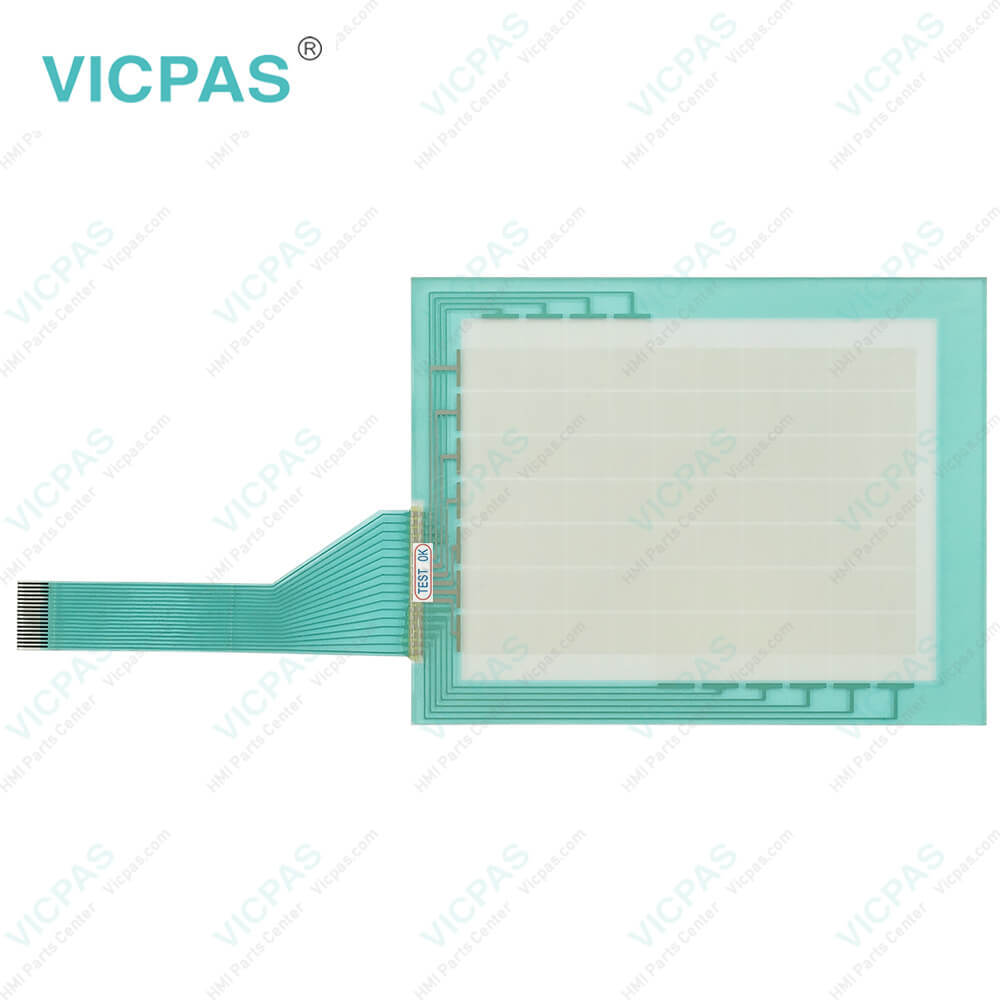
IDEC HG2A-SS22JF Touch Screen Tablet Replacement
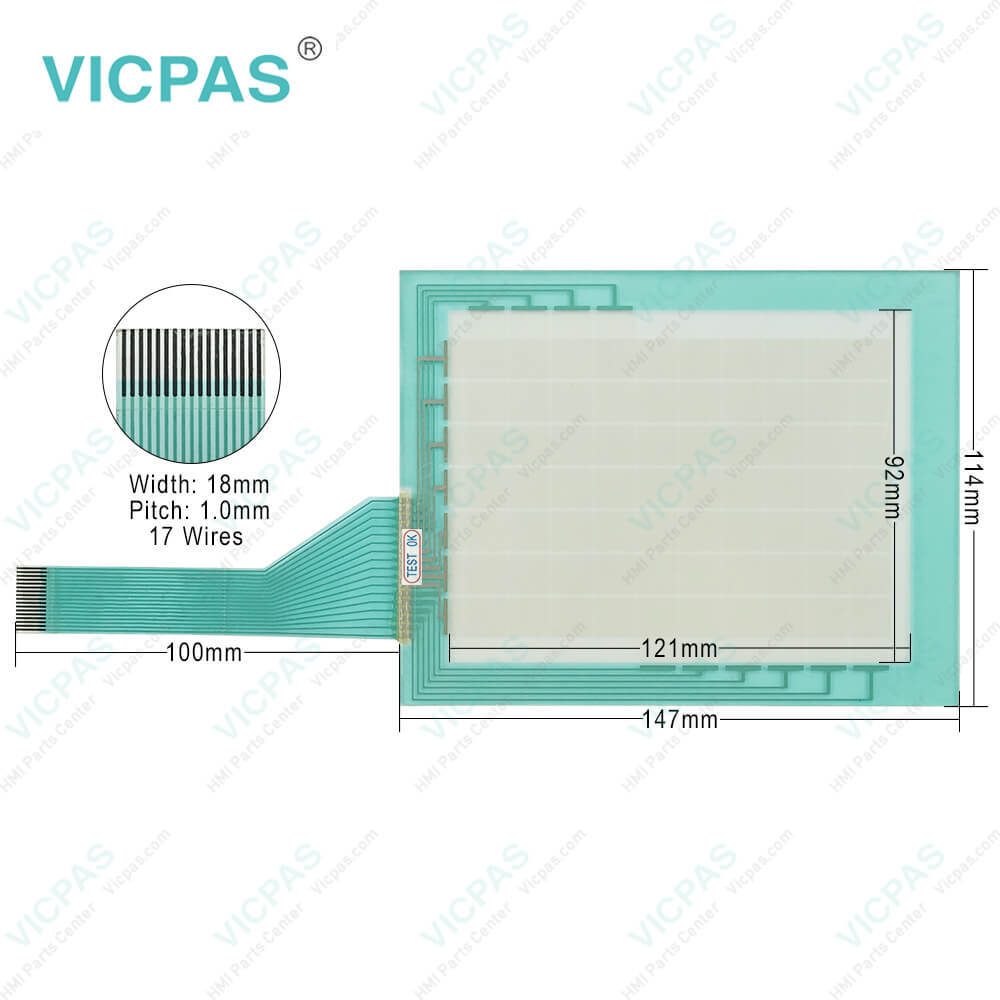
IDEC HG2A-SS22JF Touch Screen Tablet ReplacementIDEC HG2A-SS22JF Touch Screen Tablet ReplacementIDEC HG2A-SS22JF Touch Screen Tablet Replacement
BrandIDEC
ModelHG2A-SS22JF
Warranty365 Days
Supply partsTouch Screen Monitor
Shipping2-4 workdays
FOB portGuangzhou, Shenzhen, Hongkong
Terms of PaymentWestern Union, MoneyGram, T/T, Paypal, PayPal, T/T ,Credit Card, Western Union
Download
Update Time2026-01-31 02:00:51
Leading Time{{selectedConditionObj.leading}}
{{item.value}}
{{nameObj.name}}{{nameObj.selectedValue}}
{{valueObj.name}}

Shipping

Free Shipping

Those shipping costs are only estimates, the actual shipping cost will be shown on the order page.

Detail Information

IDEC HG2A Series HG2A-SS22JF Touch Digitizer Glass Replacement


IDEC HG2A-SS22JF Touch Screen Film for repair replacement

Safety Precautions

1. Prevent the IDEC HG2A-SS22JF Touchscreen from falling while moving or transporting, otherwise damage or malfunction of the Touch will result.
2. Improper installation will result in falling, failure, electrical shock, fire hazard, or malfunction of the Touch.
3. Any twists in the gasket and the Mounting Gasket will impair the waterproof characteristics.
4. The HG2A-SS22JF Touch Panel is made of glass and will break if exposed to excessive shock. Take due care when handling it.
5. Do not push hard or scratch the touch panel and protection sheet with a hard object such as a tool, because they are damaged easily.
6. Do not tighten the mounting clips obliquely to the panel or excessively, otherwise the IDEC HG2A-SS22JF HMI Panel Glass may warp and cause wrinkle on the display, or the waterproof characteristics may be impaired.
7. The HG2A-SS22JF Touch Digitizer Glass uses an LCD(liquid crystal display) as a display device. The liquid inside the LCD is harmful to the skin. If the LCD is broken and the liquid attaches to your skin or clothes, wash the liquid off using soap, and consult a doctor immediately.
8. Turn off the power to the Touch before installation, removal, wiring, maintenance, and inspection of the Touch. Failure to turn power off may cause electrical shock or fire hazard.
9. Emergency and interlocking circuits must be configured outside of the HG2A-SS22JF Touch Membrane. Do not use the Touch's internal touch switches for an emergency circuit. If the Touch failed, the external equipment connected to the Touch will no longer be protected and serious injury to operators and equipment damage may be caused.
10. Special expertise is required to install, wire, configure, and operate the HG2A-SS22JF Touch Panel. People without such expertise must not use the Touch.


Specifications:

Warranty:1-Year Warranty
Storage Humidity:20 to 85% RH
Corrosion Immunity:Free from corrosive gases
Storage Temperature:-25 ~ 60°C
Brand:IDEC
Operating Temperature:0 ~ 50°C
Model Number:HG2A-SS22JF
Mounting:Panel Mounting
Screen Type:Analog Resistive Film
Degree of Protection:IP65


Related BB Teach Pendant Part No. :

HG2A-SS22JFDescription Inventory status
HG2A-SB22BFIDEC HG2A Series Touch Screen Panel ReplacementIn Stock
HG2A-SB22CFIDEC HG2A Series Touch Digitizer Glass RepairAvailable Now
HG2A-SB22CTIDEC HG2A Series Touch Membrane ReplacementIn Stock
HG2A-SB22JFIDEC HG2A Series Touch Screen Glass RepairAvailable Now
HG2A-SB22VFIDEC HG2A Series Touch Screen Display ReplacementIn Stock
HG2A-SS22BFIDEC HG2A Series HMI Panel Screen RepairAvailable Now
HG2A-SS22CFIDEC HG2A Series Touchscreen Monitor ReplacementIn Stock
HG2A-SS22CTIDEC HG2A Series Touch Screen Film RepairAvailable Now
HG2A-SS22VFIDEC HG2A Series HMI Touch Glass RepairAvailable Now

IDEC HG2A-SS22JF Touch Screen Tablet Replacement PDF Download:

  • IDEC-HMI-Selection-Guide
  • IDEC-Data-File-Manager-Users-Manual

  • FAQ:

    Question: Can I connect external devices to the HG2A-SS22JF HMI?

    Answer: Yes, the HG2A-SS22JF HMIs typically offer various communication ports, such as Ethernet, USB, RS232, or RS485. These ports allow you to connect external devices, such as PLCs, sensors, or other control equipment, for data exchange and system integration.

    Question: How can I create and modify screens on the HG2A-SS22JF HMI?

    Answer: HG2A-SS22JF HMI usually comes with dedicated software for screen development. Install the software on your computer, and then use it to design and customize screens with elements like buttons, images, text, and data display. The software often offers intuitive drag-and-drop interfaces for easy screen creation and modification.


    Common misspellings:

    H2A-SS22JF

    HHG2A-SS22JF

    HG2-ASS22JF

    HG2AS-S22JF

    HG2A-SS22FJ

    Please send your message to us
    *Email
    Mobile Phone
    *Title
    *Content
    Upload
    • Only supports .rar/.zip/.jpg/.png/.gif/.doc/.xls/.pdf, maximum 20MB.
    Do you want to quickly know the product quotation you need?
    • Fast QuoteFast Quote
    • Worldwide ShippingWorldwide Shipping
    • 12 Months Warranty12 Months Warranty
    • Customize ServiceCustomize Service
    subscription
    KEEP IN TOUCH
    Please send your message to us
    *Email
    Mobile Phone
    *Title
    *Content
    Upload
    • Only supports .rar/.zip/.jpg/.png/.gif/.doc/.xls/.pdf, maximum 20MB.
    CONTACT US
    QR code
    Mobile Web
    1.379435s